
Copying Branches Between Maps
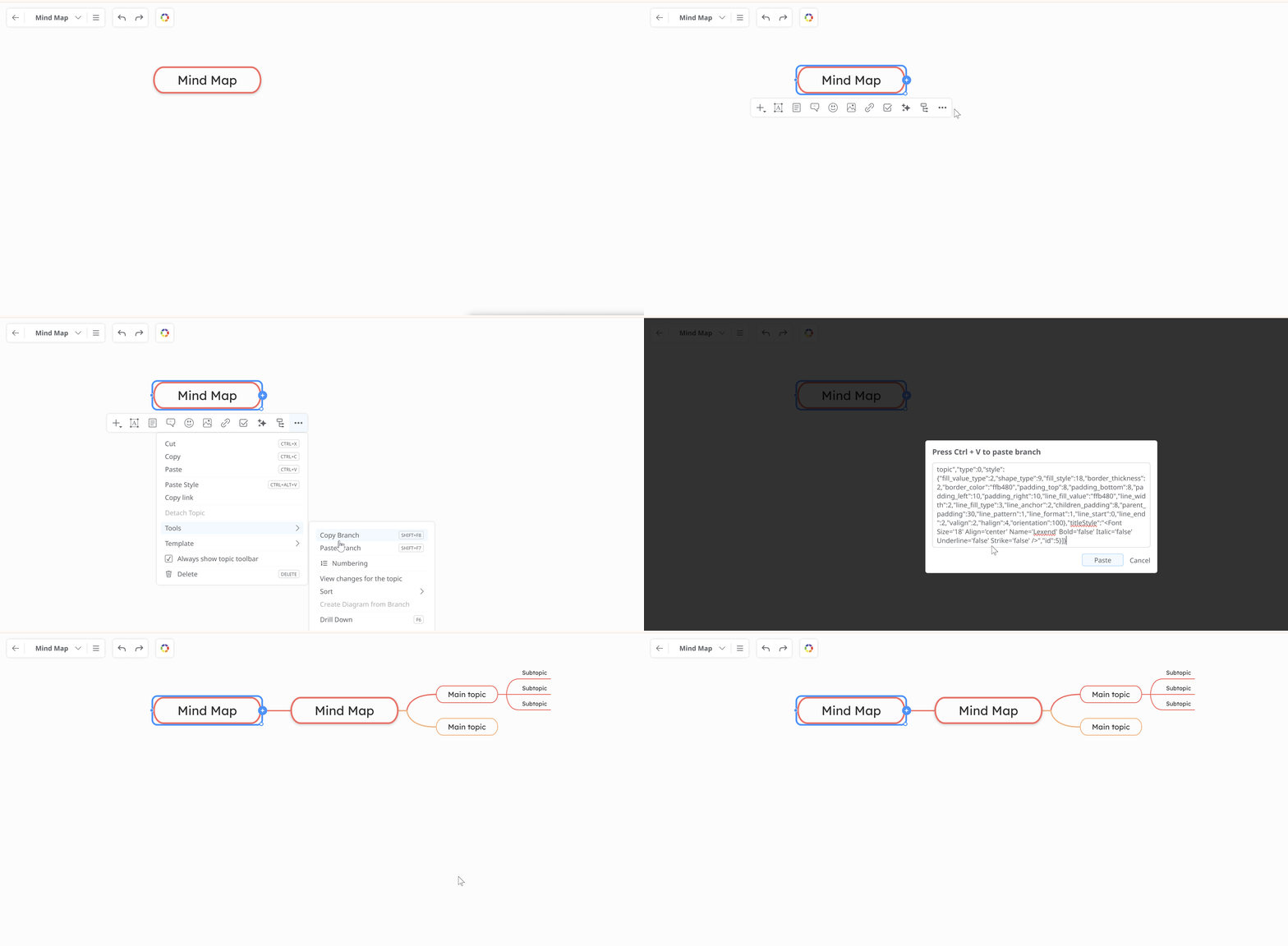
To fully copy a branch with all its links, images, notes and other resources, follow these steps:
-
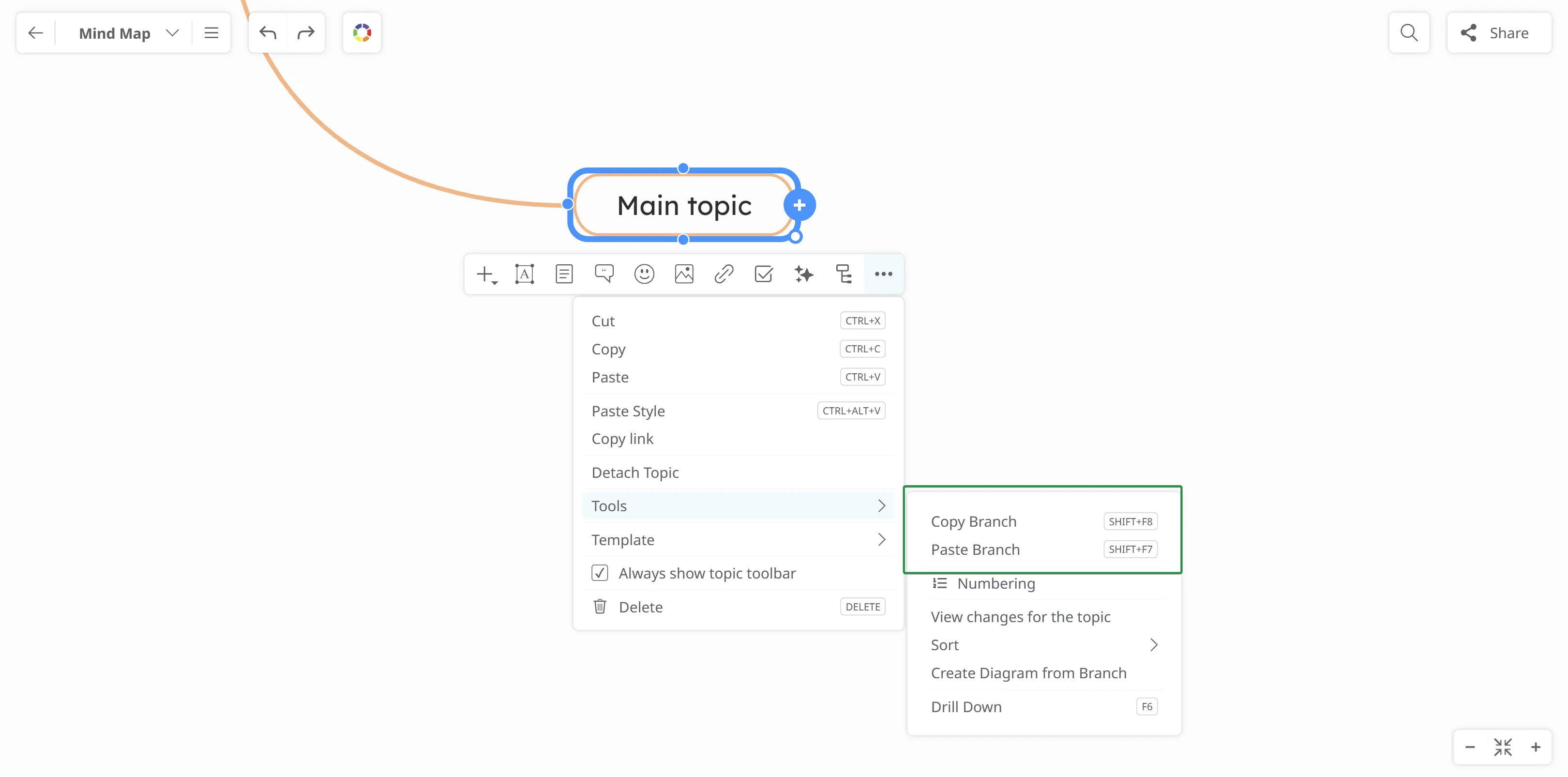
Click the root topic of the branch you want to copy, then click More → Tools → Copy Branch, or simply press Ctrl + C.
-
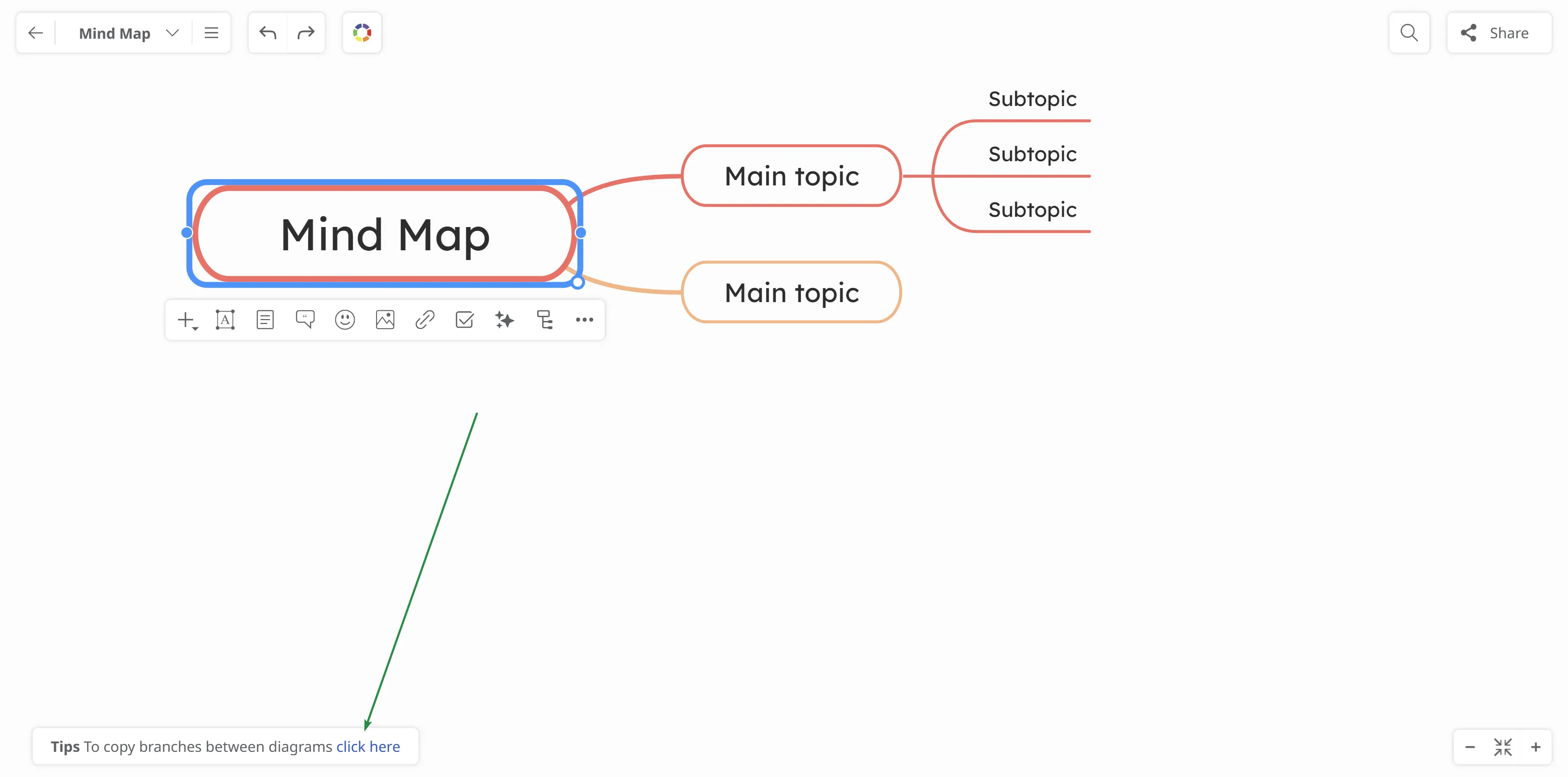
A pop-up panel with tips will appear in the lower-left corner. Select the option “click here”. (Steps 2 and 3 can also be done by pressing Shift + F8.)
-
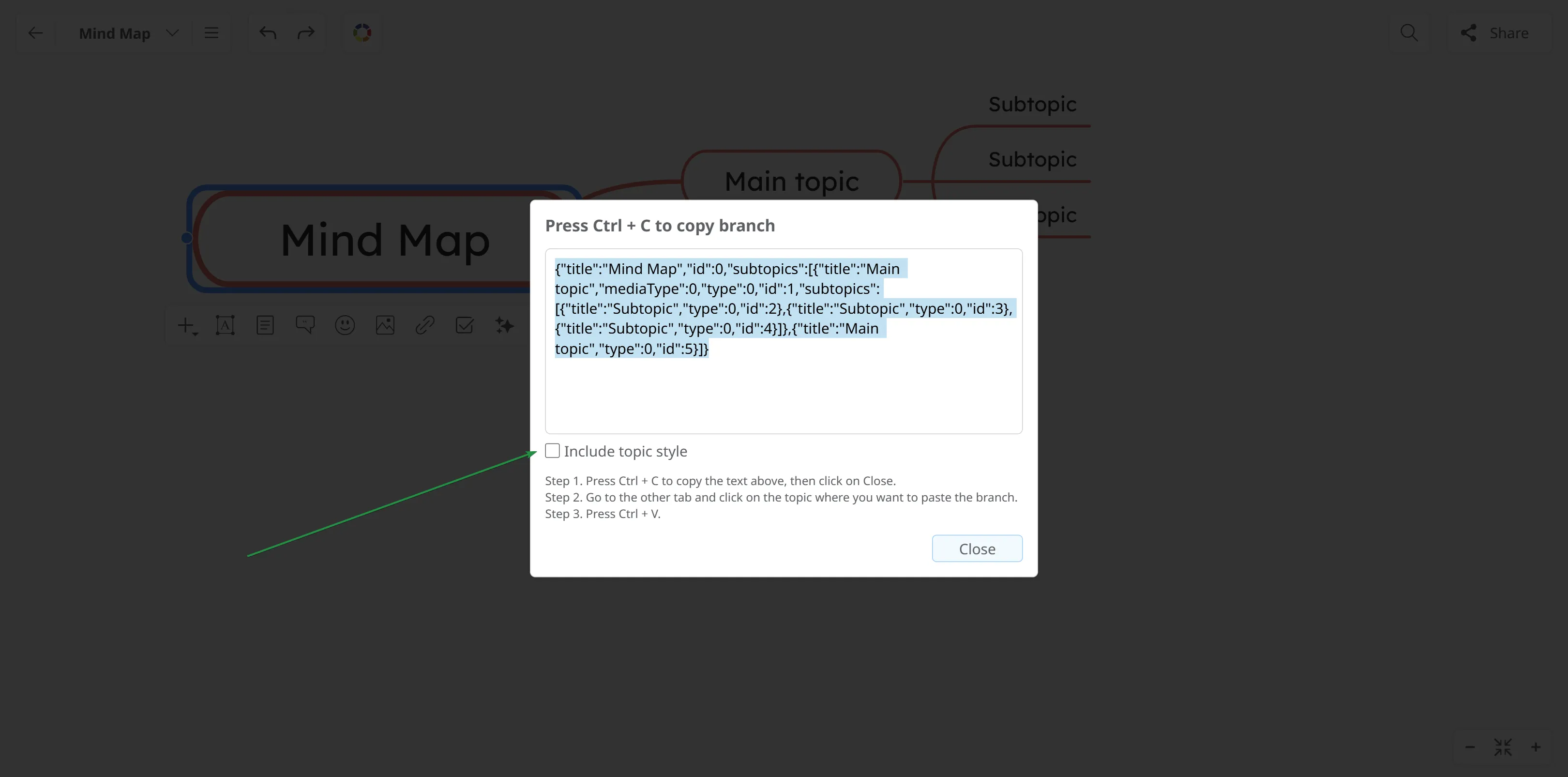
Press Ctrl + C again, then click the Close button. If you wish, you can also choose to copy the topic style.
-
Go to the other mind map and select the topic where you want to paste the copied content, press CTRL+V and click on Paste.
-
Alternatively, select the topic where you want to paste the content, then go to Tools → Paste Branch, press Ctrl + V, and click Paste.