
How to Make the Most of Your Premium Membership
Mindomo Premium is tailored for professionals who want to enhance their personal and organizational skills in areas like critical thinking, problem-solving, and project management. Whether you’re a business manager, entrepreneur, or young professional, Mindomo helps you streamline workflows, organize ideas, and improve decision-making in both business and personal contexts.
For Who and Why?
Section titled “For Who and Why?”Information gathering, organizing, problem analysis, and decision-making are part of any project. These tasks can easily become overwhelming. Mindomo Premium is designed for professionals looking to advance their personal, organizational, and task management skills:
- Employees in a business environment
- Executive directors
- Business managers
- Entrepreneurs
- Marketers
- Sales team representatives
- Training and development specialists
- Human resources officers
- Nonprofit founders
- Young professionals entering the job market, etc.
In 2016’s Future of Jobs report from the World Economic Forum, leading global employers predicted that Critical Thinking would become the 2nd most important skill for employees by 2020. This prediction has come true, and the top skills that employers see as rising in prominence leading up to 2025 include critical thinking, analysis, and problem-solving.
In a business or personal scenario, using Mindomo Premium suits you if you plan to:
- Structure your business strategies, risk analysis, brainstorming, and problem-solving processes
- Evaluate the progress of your business initiatives
- Streamline product development
- Prioritize your work, manage deadlines, and delegate tasks
- Improve communication strategies
- Take notes during meetings and highlight key points
- Make visual representations of your professional or personal goals
- Facilitate smooth operations
Improving Your Work and Personal Life
Section titled “Improving Your Work and Personal Life”Mindomo Premium helps you organize your work and personal life visually, improve productivity, and achieve your goals with smarter planning, clearer thinking, and effective self-management.
Effective Lifelong Learning
Section titled “Effective Lifelong Learning”
Why? To keep up the pace in today’s dynamic environment while feeling truly self-actualized. How? Put your mind in motion and question things to understand them better.
As an adult, you choose to learn something because you see its value. You look for relevant material that you can connect to your experience. Your interests and ambitions drive your learning.
By creating diagrams in Mindomo, you’ll be the one asking questions and finding answers. This guides you through all phases of inquiry-based learning:
- Interaction – research different media sources to identify the central topic of inquiry
- Clarification – summarize and categorize information in a diagram of your choice
- Questioning – ask relevant questions to drive self-directed inquiry
- Design – design an accessible, relevant, and engaging diagram to justify your inquiry
Once you ignite your curiosity and desire to understand, you will always seek knowledge instead of just data and information.
The Gift of Autonomy
Section titled “The Gift of Autonomy”
Get used to thinking for yourself in uncertain and complex situations, where judgment matters more than routine. Being autonomous means you’ll have the intellectual ability to be confident and bold with your ideas, not just well-organized.
As long as you have logical arguments, you shouldn’t be afraid to cross conventional lines.
Relaxed Collaboration
Section titled “Relaxed Collaboration”
Collaborating within a team requires soft skills like flexibility, problem-solving, and decision-making. Mindomo is a highly visual and spatial platform accessible on desktop, laptop, or mobile device, allowing you to collaborate inside and outside the office. While working together on the same diagram, some team members will identify key points, and others will see connections and generate new ideas. Having everything organized makes the entire team better prepared and eager to deliver.
Objectivity in a Post-Truth World
Section titled “Objectivity in a Post-Truth World”
From the endless stream of political misinformation to constant distortion on social media, truth and essence are at risk—we’re in danger of losing sight of what truly matters. Diagramming in Mindomo helps you keep your thinking simple and stick to the essentials:
- Make information straightforward
- Be selective and prioritize key aspects
- Put your clear thoughts down on an infinite canvas where erasing, editing, and reorganizing content is one click away
Independent Thought Process
Section titled “Independent Thought Process”
An independent, reasoning thought process is vital for solving problems. It guides you in formulating arguments from evidence while identifying opportunities and threats. Creating diagrams in Mindomo requires a process-centered focus on knowledge and objective evidence – in the business world, this is a time- and money-saving skill from top to bottom.
Why Mind Maps?
Section titled “Why Mind Maps?”Mind maps help you think visually, connect ideas naturally, and simplify complex information—boosting creativity, clarity, and understanding.
Mirror the Way Our Brains Think
Section titled “Mirror the Way Our Brains Think”
Using mind maps for work and personal development fits the way our brain works. The saying “a picture is worth a thousand words” is backed by science: our brains process visuals 60,000 times faster than words. Studies also show that we retain and transmit much more information when it is delivered visually.
Combine Right and Left Hemispheres
Section titled “Combine Right and Left Hemispheres”
Our brains have two major hemispheres, each with its own way of thinking and processing. The left side is logical, linear, and analytical. The right side is intuitive, creative, and visual. Only by using both sides consistently can you grow personally and professionally.
Mind mapping brings both hemispheres together. Breaking information into concepts and organizing them hierarchically – left hemisphere. Using shapes, pictures, and colors – right hemisphere. The left brain visualizes the overall image, while the right brain identifies all the steps necessary to complete the map.
Prompt Critical Thinking
Section titled “Prompt Critical Thinking”
Beyond visual appeal, mind map creation encourages you to develop a healthy questioning and rationalizing attitude.
- Identify the core information you know
- Break everything into smaller pieces, based on importance and hierarchy
- Look for connections between new information and what you already know
During the process, you’ll exercise synthesis, analysis, interpretation, explanation, evaluation, generalization, comparison, and contrast.
Plan and Organize Your Work
Section titled “Plan and Organize Your Work”Plan and organize your work with Mindomo Premium by visually brainstorming ideas, structuring projects, and managing tasks more efficiently. Use intuitive diagrams to clarify priorities, streamline workflows, and boost productivity.
Simplified Brainstorming
Section titled “Simplified Brainstorming”
Whether as a solo entrepreneur or within a team, brainstorming is a key component of successful idea generation. From generating new product ideas to boosting income, from reviewing internal procedures to gathering viewpoints, brainstorming is vital to project success.
💡 Tips and Tricks
Brainstorming sessions can be modified to be relaxed or focused, depending on the context:
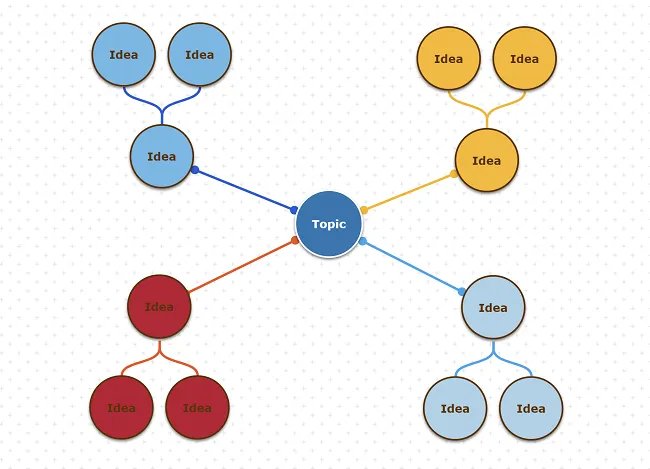
Blank Cluster Diagram – ready for any topic; freely associate ideas with the main topic.
Brainstorming with Cues – guide the session using verbal, visual, or combined cues. Share prefilled mind maps and concept maps that need further editing.
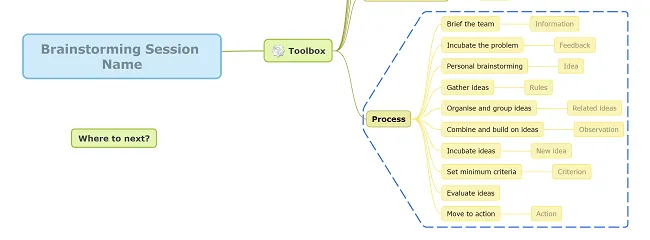
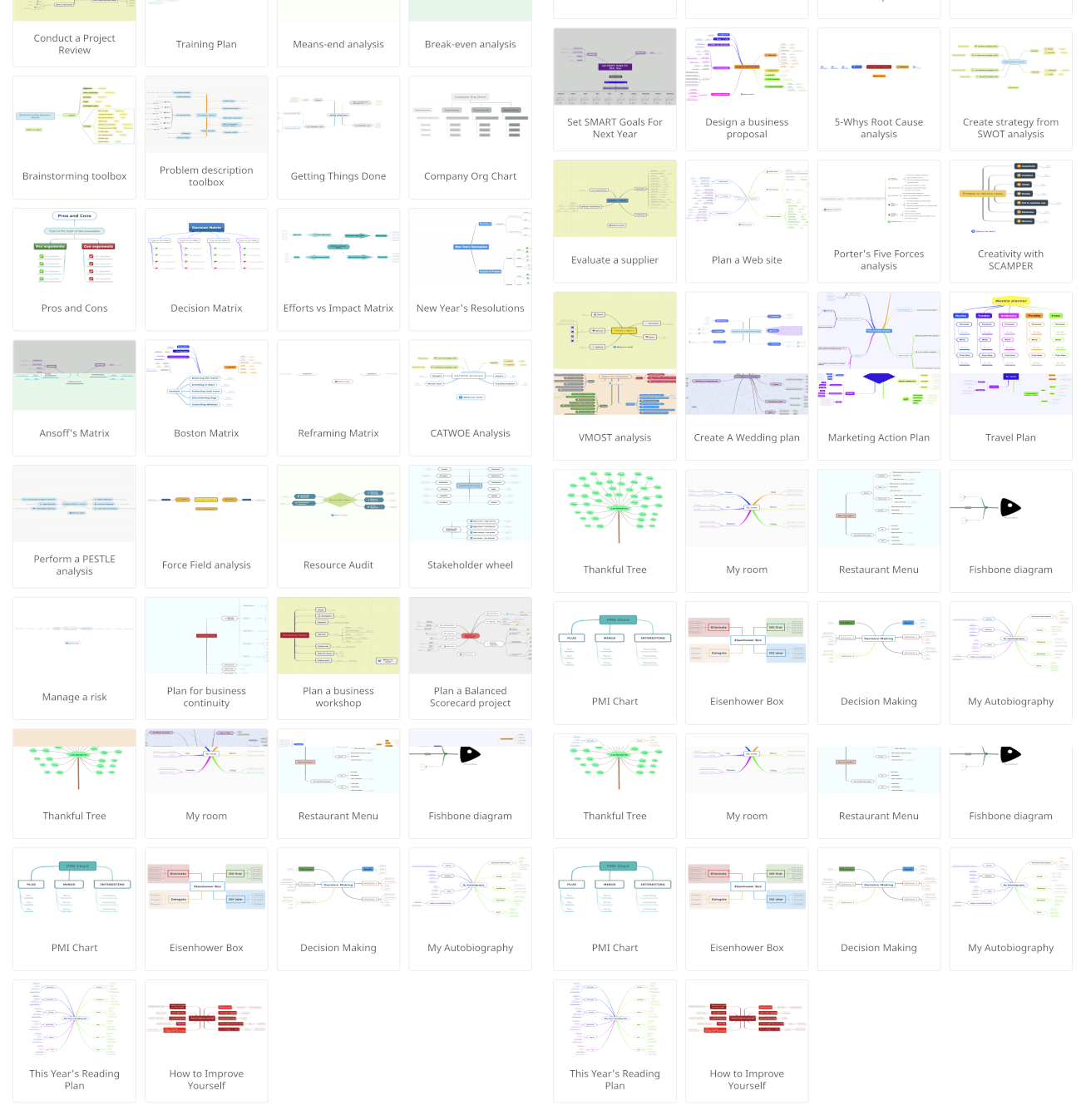
You can browse Mindomo’s gallery for other inspiration map templates:
Make sure to ask the right questions before and during the brainstorming session:
- How should I/we act during brainstorming?
- How long will I/we spend on each section of the mind map?
- What should be discussed/ignored?
- Who gets the final say on the next steps?
Consider these open-ended observational questions to kick-start your brainstorming:
- What’s to notice about the product?
- What are we trying to achieve in this session?
- What concrete steps should we take to move forward?
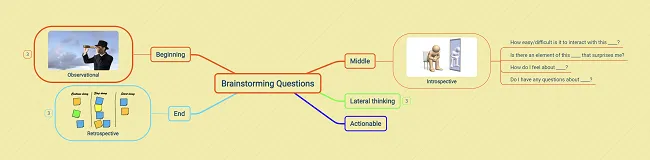
Whether alone or in small groups, use this brainstorming questions diagram to create your own maps with highlights.
These maps can foster more discussion during meetings. Returning to the same questions months later can show that independent thinking skills have improved and that ideas are ready to turn into projects.
Business project management
Section titled “Business project management”
Project management’s definition as per Wikipedia - “the process of leading the work of a team to achieve all project goals within the given constraints.” So, how do you effectively process all of the data without losing track of the big picture? Mind mapping can help you efficiently move forward through the 4P’s of Project Management:
-
People: the primary resource in every project. Identifying the roles people play can greatly increase the project’s chances of success.
-
Product: the deliverable of the project, which must address the right problem.
-
Process: using the right process ensures team members know what to do and when to do it, thereby meeting the project’s original goals and objectives.
-
Project: where the project manager comes into play—planning, delegating tasks, helping the team communicate, and closely supervising to accomplish all requirements.
💡 Tips and Tricks
Search Mindomo’s templates gallery for prefilled mind maps and templates, like the business project mind map, to help you set the stage for project success.
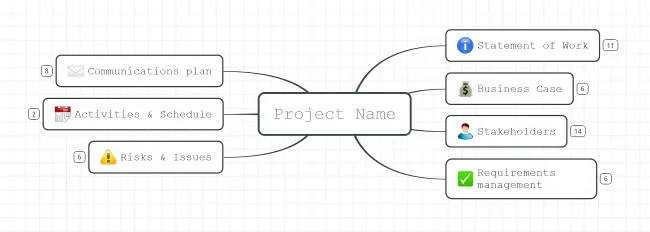
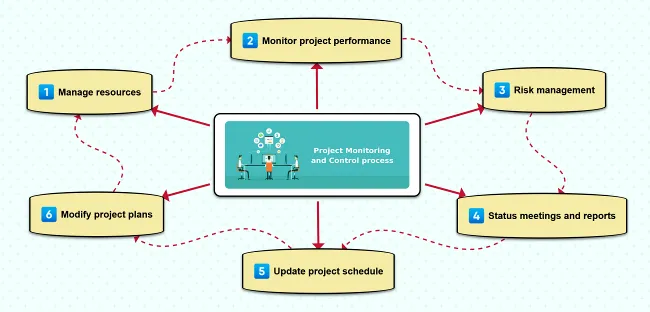
For small, well-defined projects, you can opt for the traditional phased approach and create a project management mind map covering all five process areas: Initiation, Planning, Execution, Monitoring & Controlling, and Closing.
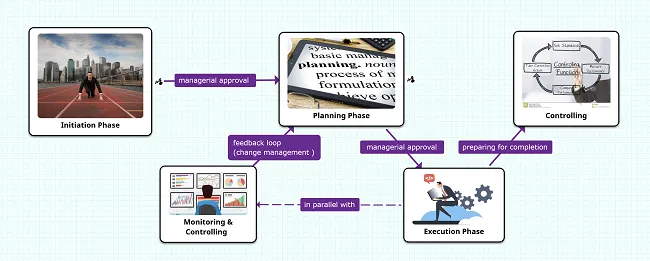
Each main branch of the mother map can link to a different diagram covering a specific process area. Feel free to copy and edit the diagrams below.
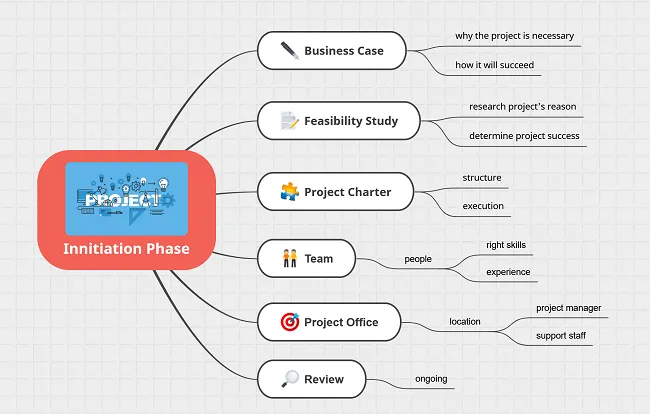
You can create mind maps to draft all the project initiation documents that establish the foundation for the entire project:
- Project proposal (idea, goal, duration)
- Project scope (project direction and track)
- Product breakdown structure (PBS) (a hierarchy of deliverables)
- Work breakdown structure (WBS) (a hierarchy of tasks down to daily actions)
- Responsibility assignment matrix (RACI) (roles and responsibilities aligned with deliverables/outcomes)
- Tentative project schedule (milestones, important dates, deadlines)
- Analysis of business needs and requirements against measurable goals
- Review of current operations
- Financial analysis of costs and benefits
- Stakeholder analysis
- Project charter
- SWOT analysis
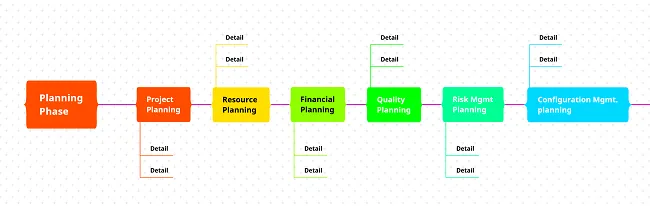
You can create mind maps to draft all the project planning documents required for estimating time, costs, resources, work needed, and risk management. These documents often include:
- Project management methodology
- Scope statement
- Team selection
- Network of deliverables and related activities
- Resource requirements estimation
- Time and cost estimation
- Project schedule
- Risk planning
- Quality assurance measures
- Formal approval for execution
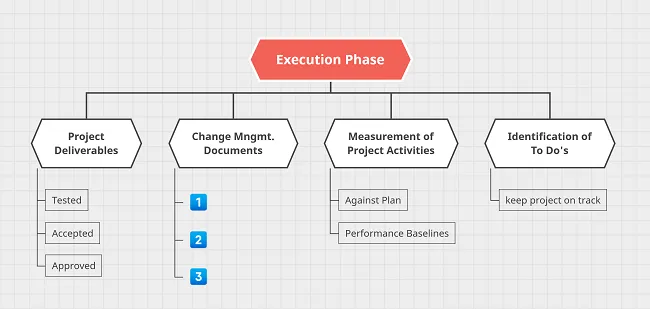
Create tasks, assign them, and closely follow up on their progress to ensure that the project management plan’s deliverables are executed properly.
Documenting each task (adding assignees, notes, comments) is key to success. By setting deadlines and marking completed tasks, everyone can track progress as the project moves forward.
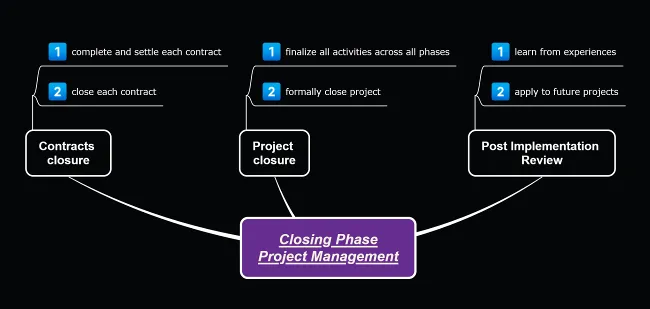
Monitoring & Controlling Phase mind map:
Other ways to leverage mind maps for project management:
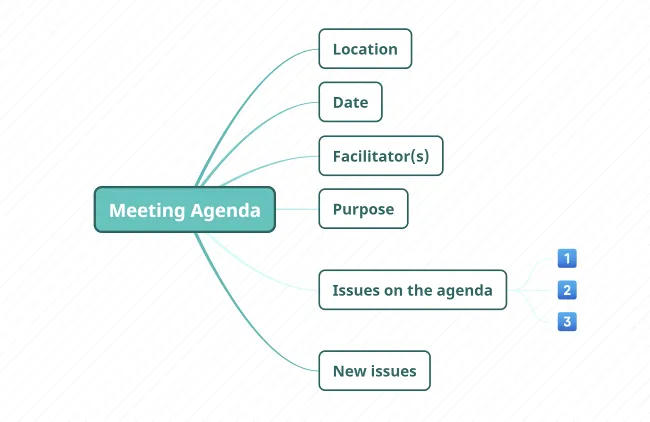
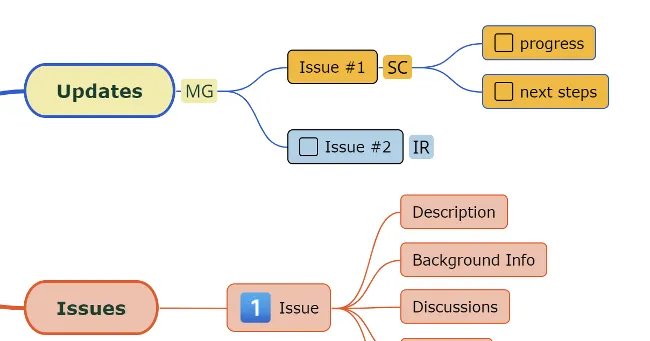
- Highlight the minutes of your business meetings efficiently and in less time:
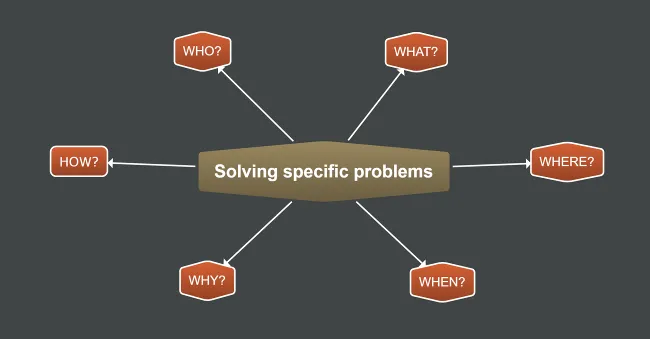
- Solve specific problems:
- Create an organizational structure to clearly see reporting lines in your team:
- Organize unstructured ideas on how to improve the final product, etc.
Project reviews
Section titled “Project reviews”
Project reviews serve a wide range of stakeholders and fulfill a variety of roles. There are different types of review, each with its own focus and outcomes:
- Project Health Check / Project Evaluation
- Gate Review
- Project Audit
- Benefits Realization Review
- Post-Implementation Review
💡 Tips and Tricks
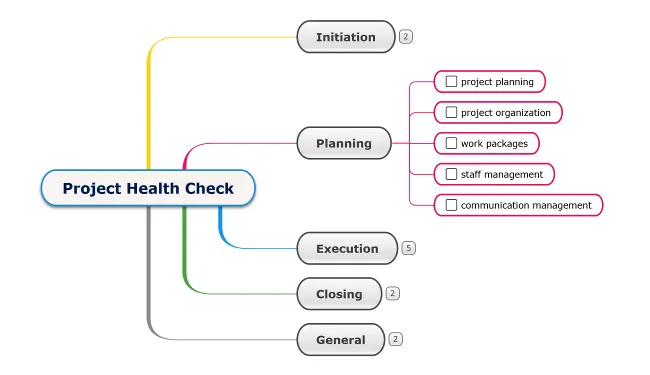
The Project Health Check mind map can assist you with reviews at any point throughout the project. It typically assesses the likelihood of project success and identifies risks and corrective actions. Choose an organized diagram layout to highlight all the areas that need to be checked.
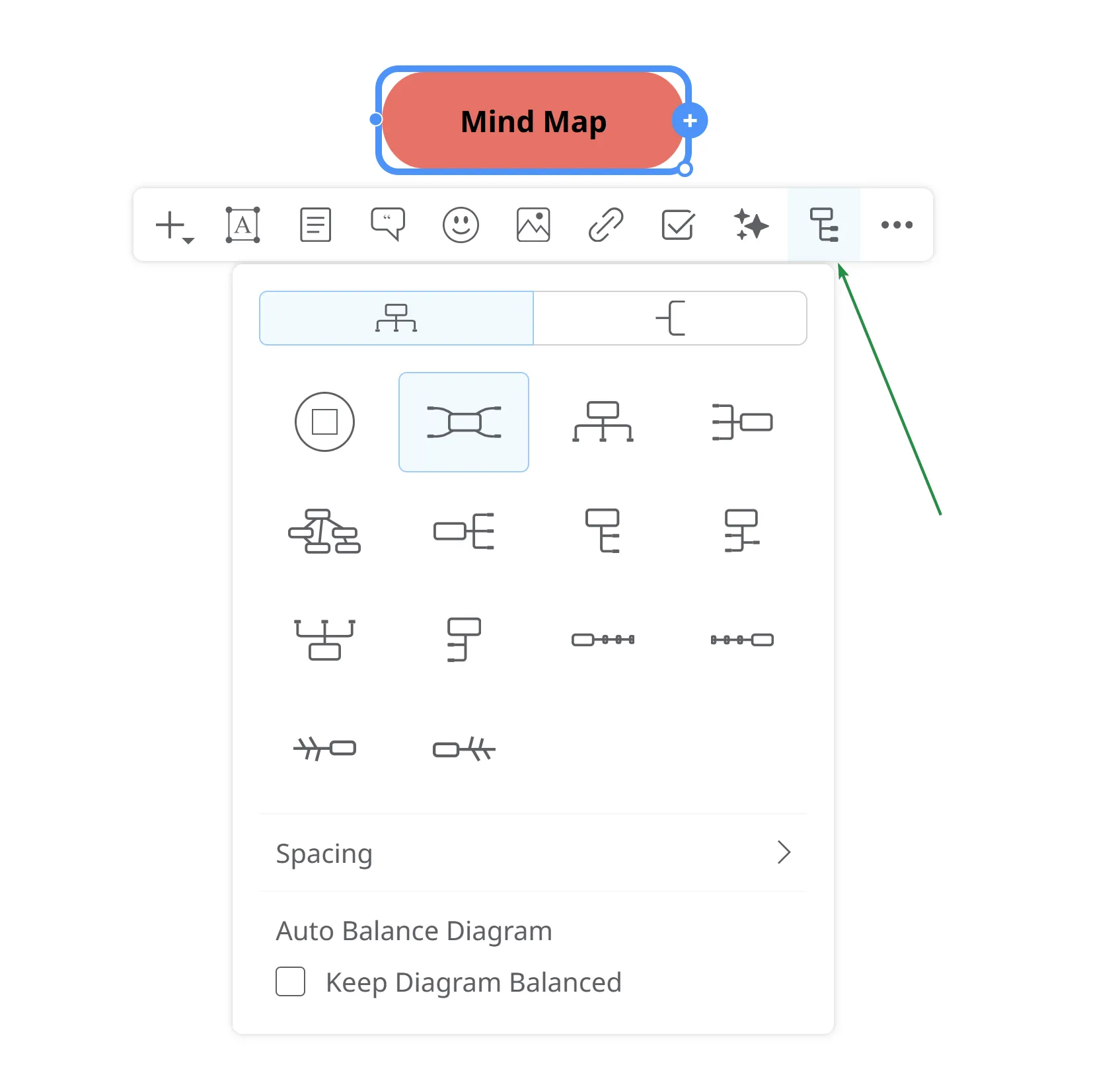
Turn the topics and areas of interest into tasks so you can mark them as completed once you have evaluated them.
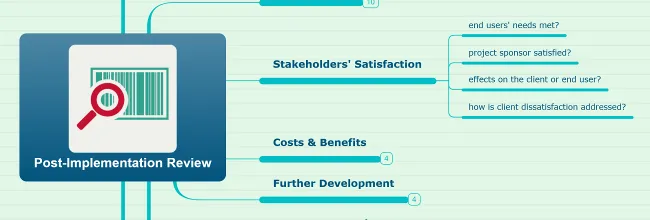
The Post-Implementation mind map will help you answer the following key questions:
- Did the project fully solve the problem it was meant to address?
- What are the next steps for delivering even bigger benefits?
- What lessons learned can we apply to future projects?
Consider using this project review template as a starting point for your own project review mind map.
Custom SWOT analysis
Section titled “Custom SWOT analysis”
By conducting a SWOT analysis, you zoom in on the factors that might help or hinder your project’s success. Fully understanding your strengths, weaknesses, opportunities, and threats prepares you to plan for success. You can leverage what your team does best while defending against weaknesses and threats.
💡 Tips and Tricks
To create an engaging, easy-to-follow SWOT analysis for your team without spending too much time, use customizable SWOT analysis mind maps. You may want to keep the look and feel but edit the content, or vice versa. In the end, the SWOT analysis should fit your or your company’s specific strengths and weaknesses.
Create strategy from SWOT mind map:
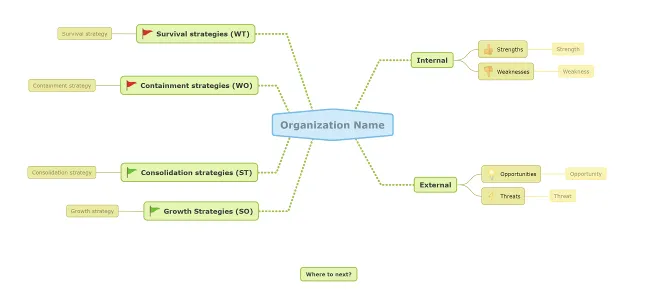
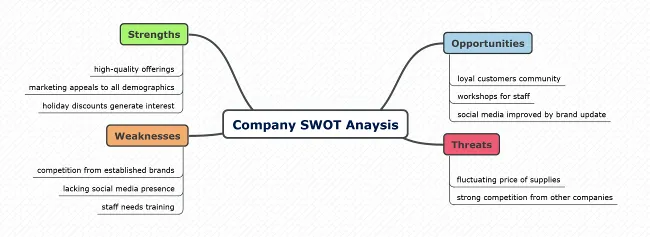
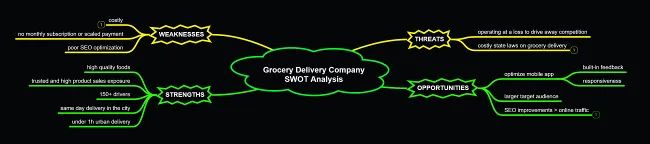
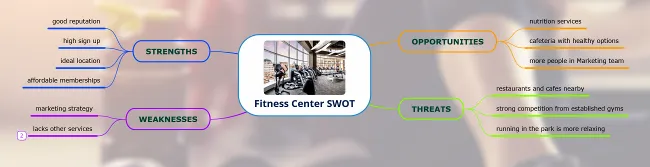
Non-governmental organization SWOT mind map:
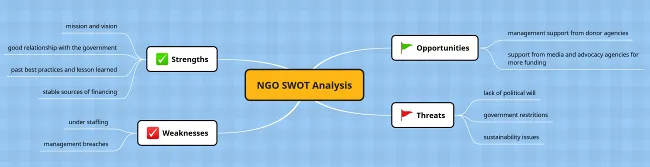
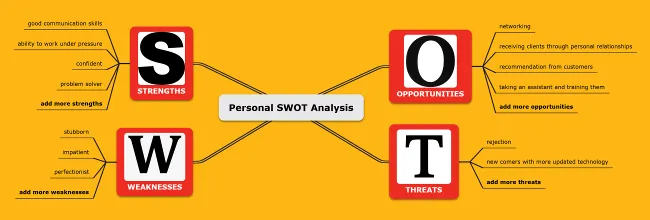
Feel free to update fonts, colors, shapes, and icons to match your brand identity. Read more about Mindomo’s topic and map theme customization features.
Share the SWOT mind map with key stakeholders (team members, clients, sponsors) to help identify and analyze critical factors. Stakeholders without Mindomo accounts can work as guests on diagrams with full premium features.
Consider using this stakeholder wheel mind map to identify stakeholders and classify them based on importance.
Market research
Section titled “Market research”
Is the market ready for your new service or product? Finding product-market fit requires market research to gather honest opinions and consumer feedback. Whether conducted in-house or by a specialized third party, market research involves gathering lots of information that needs to be analyzed and interpreted. Diagramming in Mindomo will clarify your thinking and simplify everything, from structuring information to analyzing, synthesizing, and generating new ideas.
💡 Tips and Tricks
Opt for well-organized, easily accessible, and visually clear information. Choose the diagram theme that appeals to you in terms of layout and color scheme.
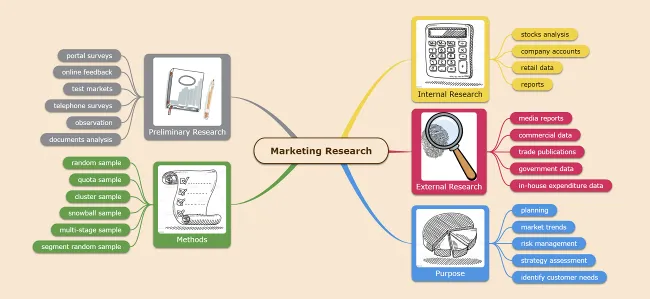
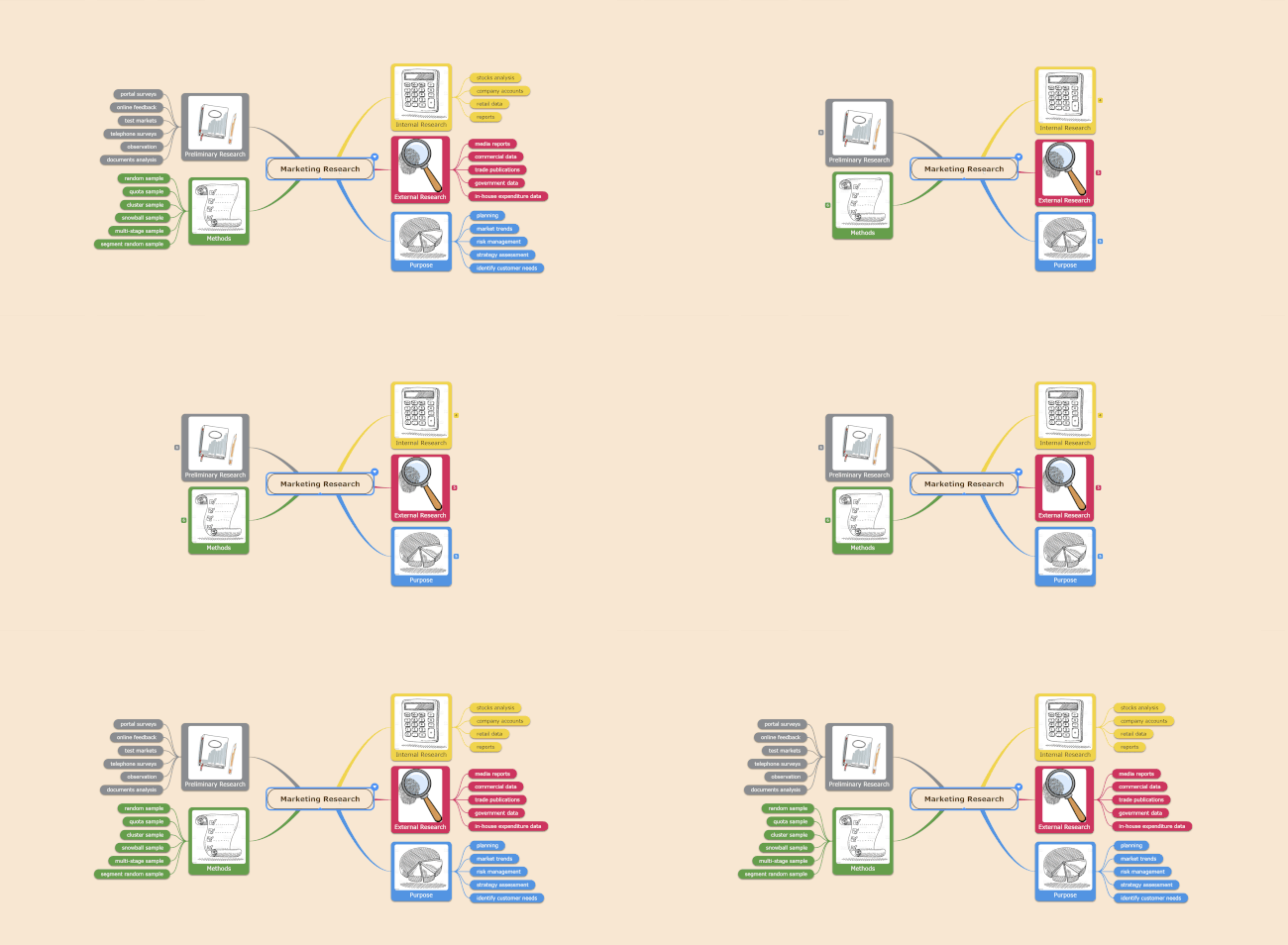
Turn all areas in your research into expandable branches containing the details you need. For a bird’s-eye view on complex diagrams, collapse them with CTRL + 0. Expand diagram levels with CTRL + 1/2/3/4. See all Mindomo shortcuts.
Consider using our general marketing research mind map template and adapting it to your specific needs.
Visualize your research methods:
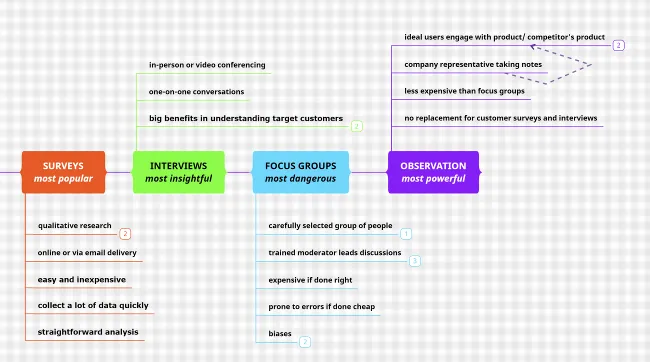
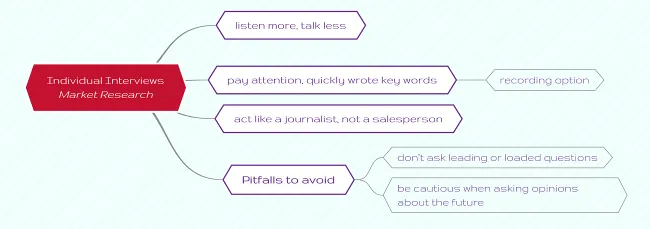
Get ready to know your users on a deeper level with our market research interview diagram:
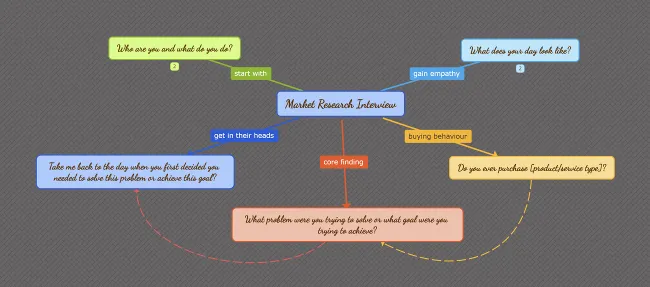
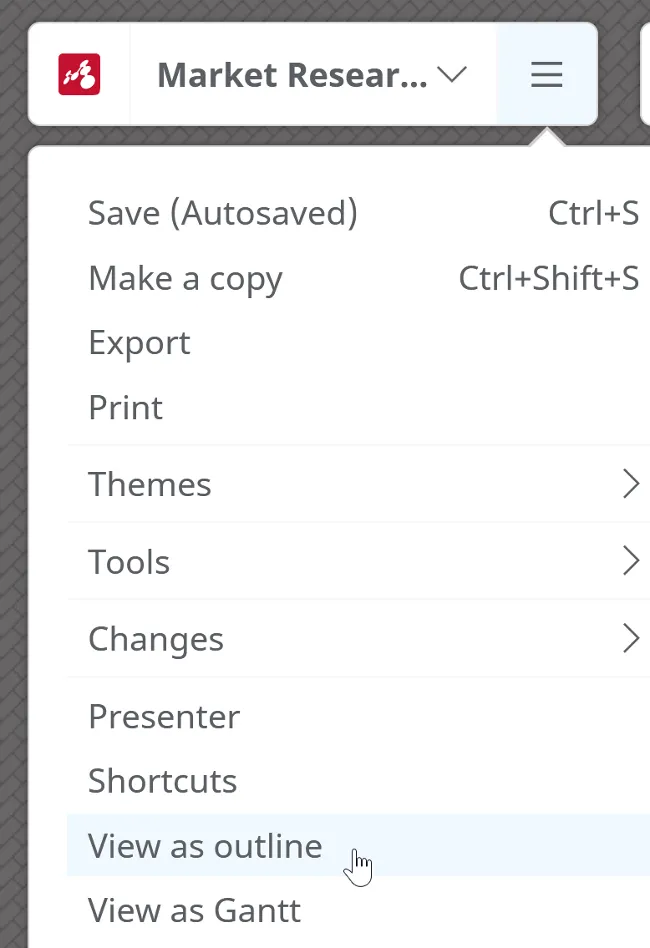
Edit this concept map to draft your interview questions. Once finished, you can turn it into an outline for further editing and printing.
For quick, actionable insights, build your own solid framework for market research covering:
- Simple user personas
- Observational research
- Individual interviews
- Manageable data analysis (custom diagrams)
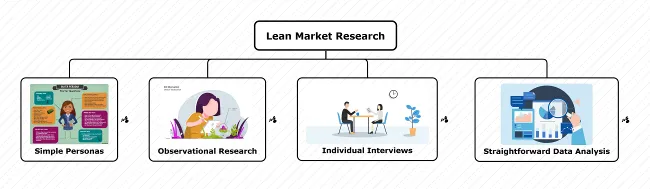
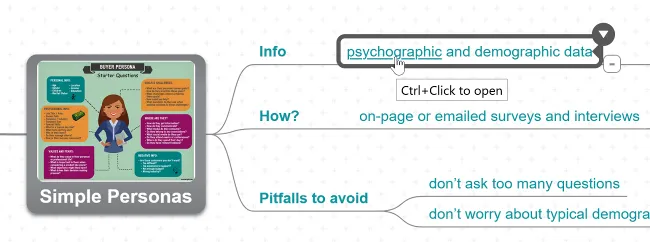
Each main topic in the mother diagram should link to a different diagram (learn more about adding hyperlinks):
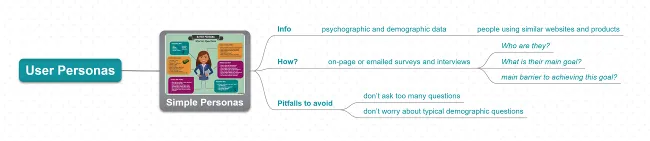
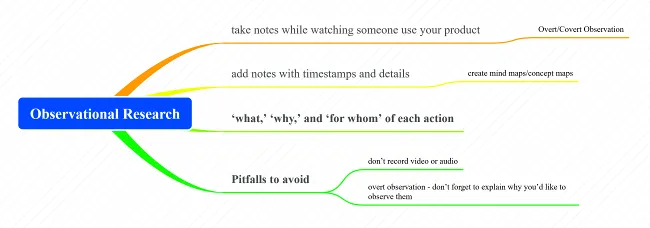
Observational Research diagram
Market research interviews diagram
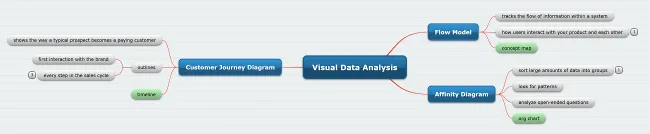
Market research data analysis diagram
Consider using Porter’s Five Forces analysis template to analyze your company’s competitive environment.
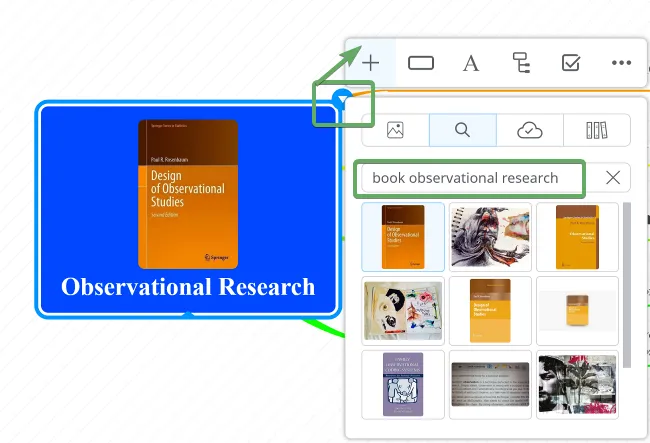
Document research resources (book excerpts, brochures, journals, magazines, newspapers, case studies) by attaching them or creating hyperlinks.
If you collect research data through observation, consider adding personal audio files or recording your speech directly in Mindomo.
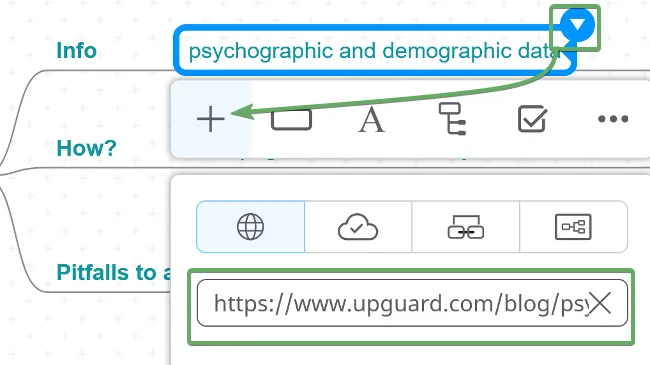
Resources can be added as hyperlinks to words or phrases or as topic attachments.

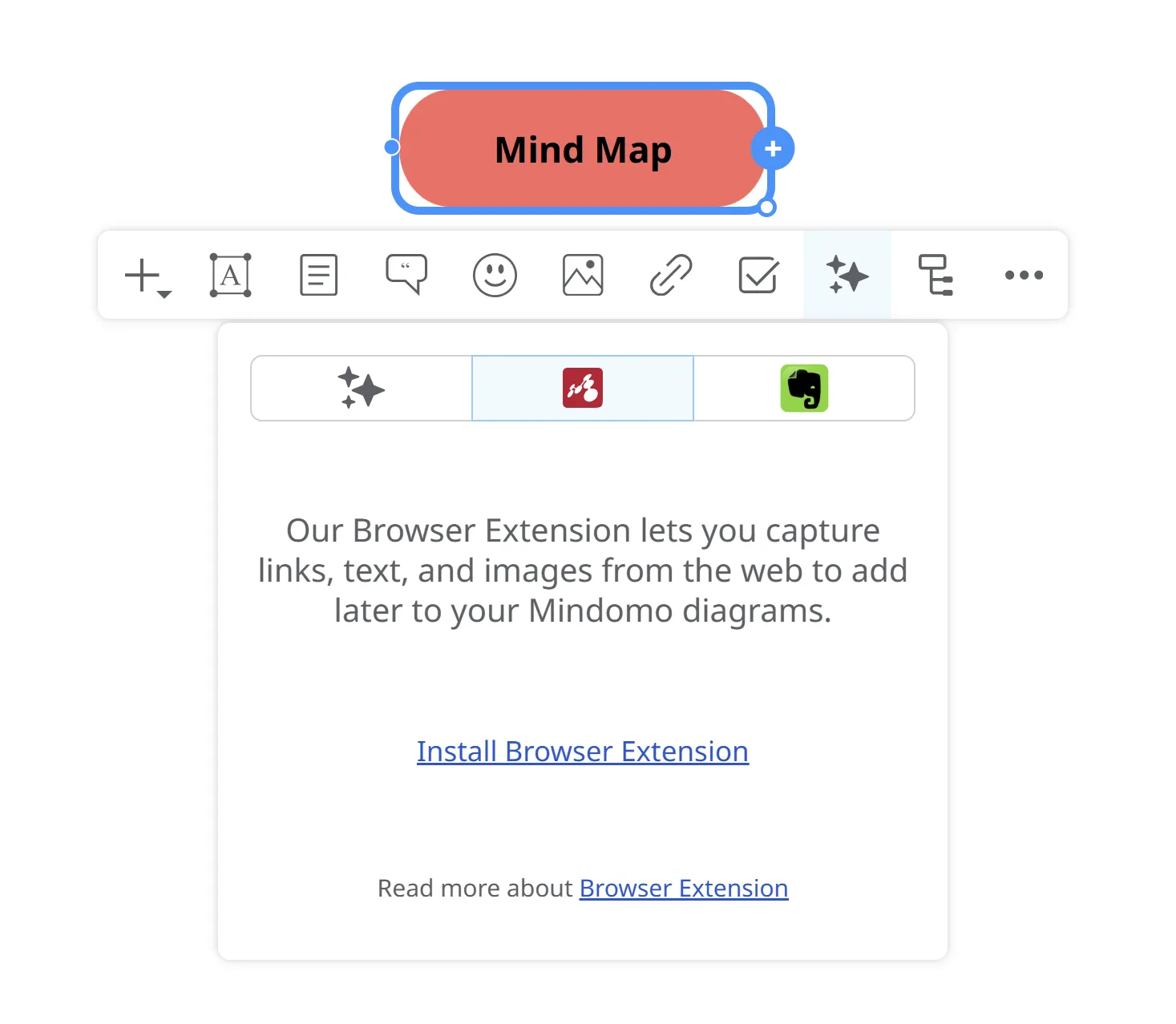
You can also use your saved Mindomo Bookmarks (text, links, images) relevant to your research:
Marketing action plans
Section titled “Marketing action plans”
All marketers have strategic roadmaps that help them ideate, organize, execute, and track their marketing strategy. Diagramming in Mindomo will make your action plans both creative and organized, keeping you on track with the progress and success of every step of your campaign.
💡 Tips and Tricks
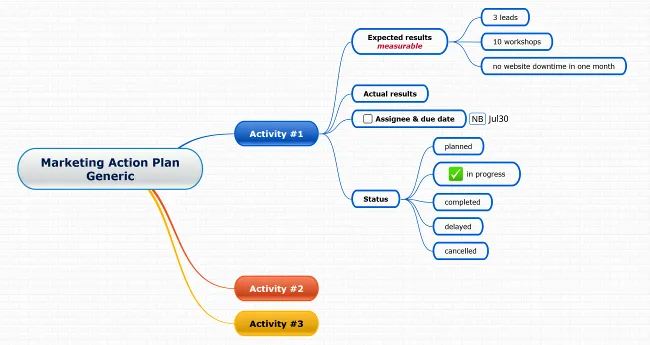
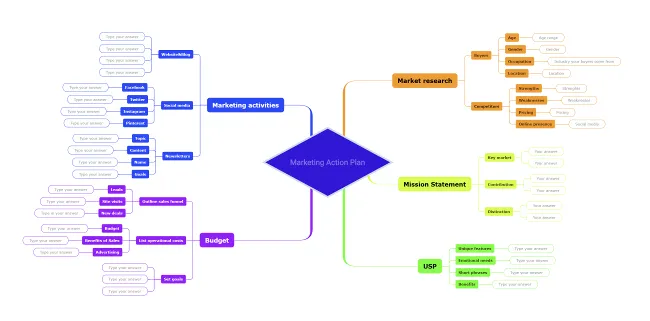
Start with a generic action plan template to help you meet your online, marketing, content, or promotional goals, or a detailed action plan template that walks you through market research, marketing strategy, setting up your USP, budgeting details, etc.
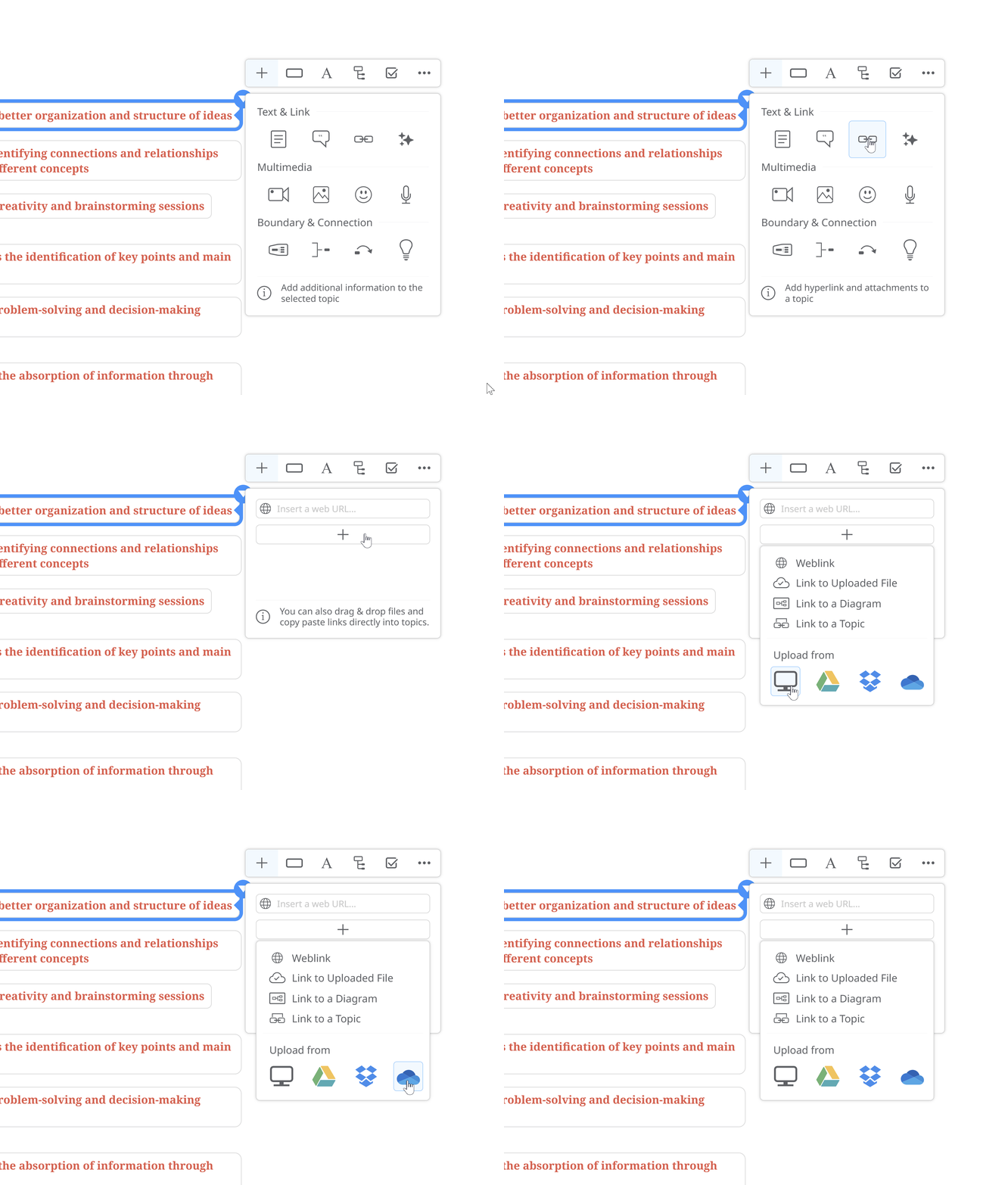
Document your ideas by uploading personal documents and videos from your computer, Google Drive, OneDrive, and Dropbox accounts.
Copying and pasting info from one diagram to another (including links, images, notes, and other resources) is a time-saving feature. Read more about it here.
Note creation allows you to keep larger bodies of text hidden from the big picture. For example, a market plan includes situation analysis, market analysis, objectives, marketing strategy, and action plan, each with its own focus points. You can create notes for each key point and review the details if needed without losing focus.
At any point, no matter how complex the diagram becomes, you can quickly find specific content using Search and Filter options.
Meeting and event planning
Section titled “Meeting and event planning”
Attending meetings and events can deliver a tremendous return on investment in terms of networking, education, marketing, sales, etc. Conversely, the impact of a poorly executed meeting or event can be substantial.
Map out a sound foundation for successfully planned and executed events, covering everything from:
- Setting goals and objectives for the meeting/event
- Planning program content
- Planning on-site procedures and policies
- Revenue and expense analysis
- Risk management
- Contingency planning
- Handling reservations and housing
- Managing supplier relationships
- Volunteer recruitment, management, and orientation
- Post-event evaluation
💡 Tips and Tricks
Consider a timeline diagram for a clear overview of the chronological order of events.
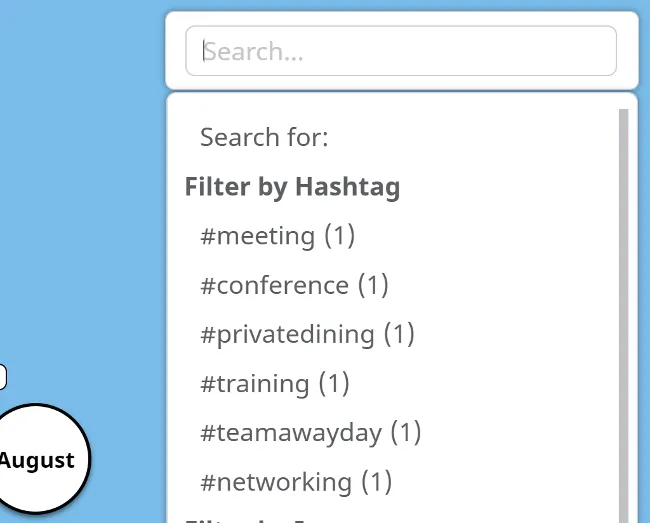
Depending on the different event types you’re organizing, categorize them to make it easier to find and update details on the spot. Use hashtags, icons, and color-coding to make information easily accessible. See how filtering by hashtag or icon works.
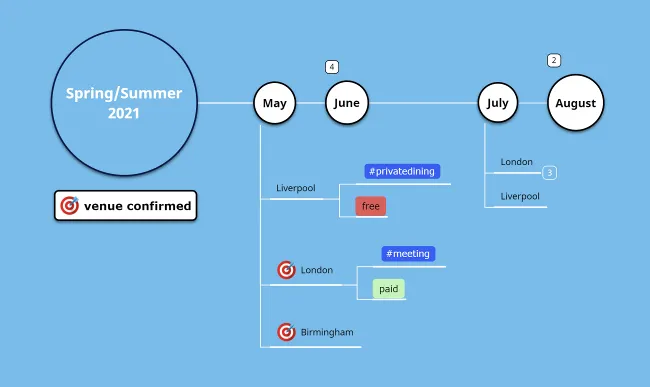
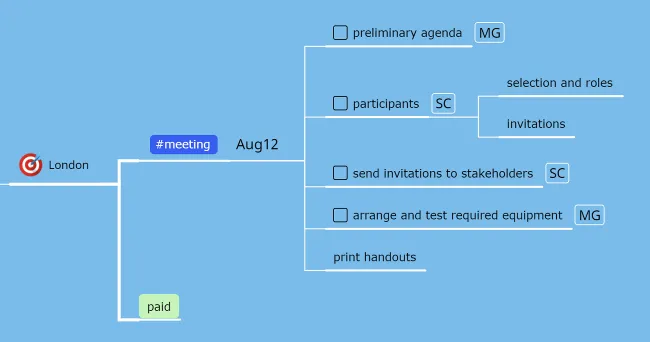
Assign tasks and set deadlines to stay on track with the major milestones and progress of your event.
Browse Mindomo’s templates gallery for other planning templates like this business workshop planning diagram.
Website planning
Section titled “Website planning”
Did you know that 88% of online consumers are less likely to return to a website after a bad experience? Careful website planning is therefore a good investment. Mindomo empowers you to visualize the software architecture, website requirements, and a winning website strategy.
💡 Tips and Tricks
Choose an organized layout that lets you nest all crucial steps in building your website, documenting everything with links and attachments, images, videos, audio and recordings, notes, and comments.
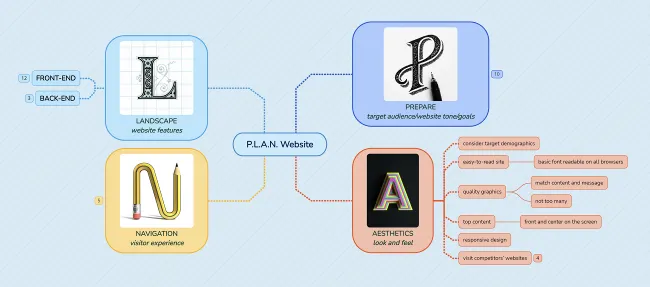
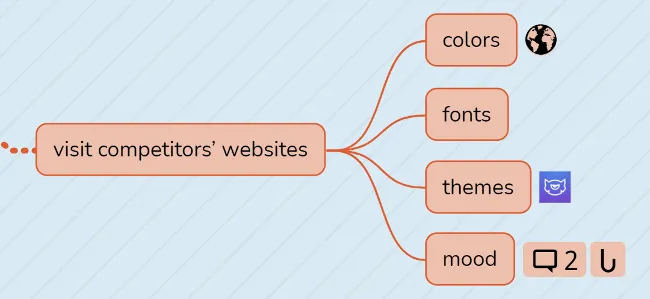
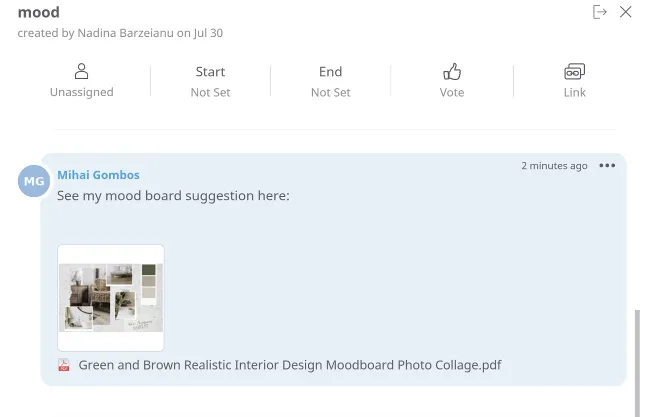
Browse Mindomo’s gallery for inspiration, such as these P.L.A.N. website and website planning templates.
Business presentations
Section titled “Business presentations”
Business presentations inform, educate, motivate, and persuade internal and external audiences. Whether you present company results, pitch a new product, or introduce sales, training, or internal communication programs, a well-structured presentation demonstrates professionalism and reinforces an organization’s corporate image.
Create relevant presentations straight from your Mindomo diagrams. Use the power of words and images to communicate your vision and engage your audience.
💡 Tips and Tricks
Use an easy-to-follow structure (introduction, body, and conclusion) with either a mind map or concept map layout.
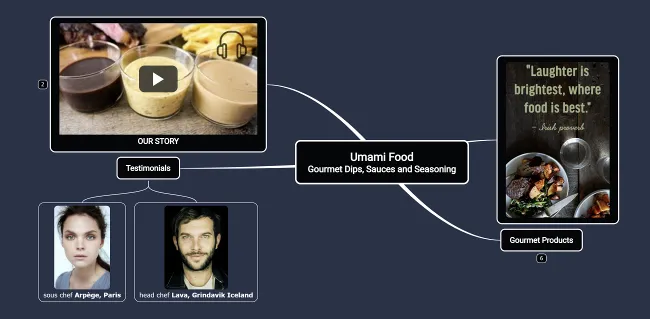
Keep your slide deck to 10 slides in total and ideally six words per slide. This allows the audience to digest the on-screen messages in line with your presentation.
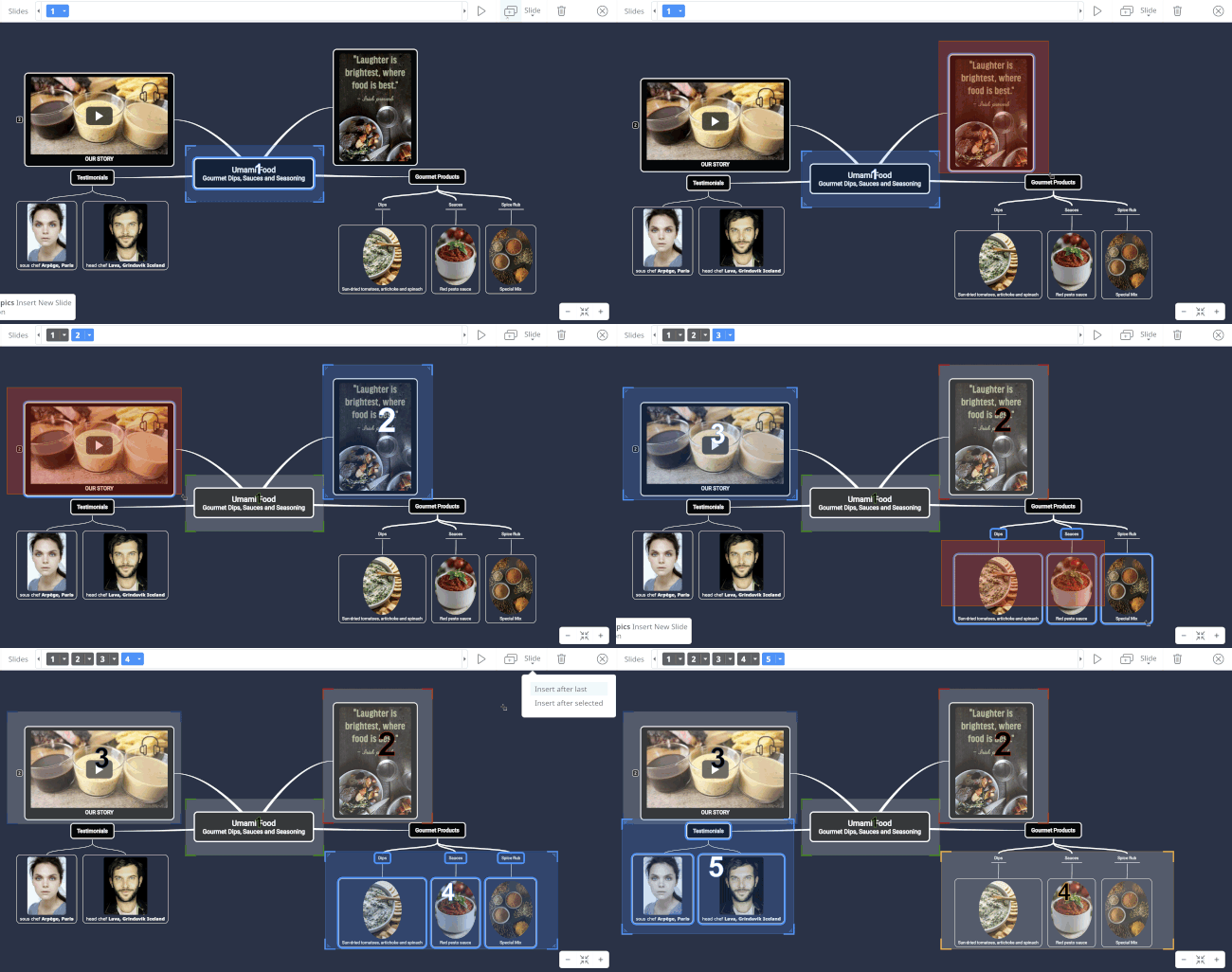
Compelling images and videos will communicate your ideas efficiently and make information easier to remember.

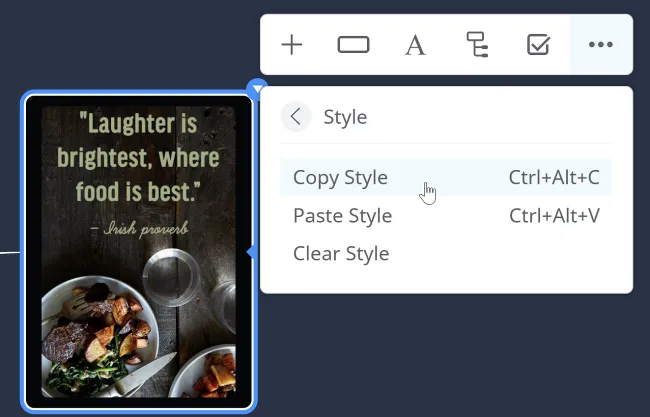
To create a consistent look and feel, use 2 or 3 colors only, the same font type, size, color, and formatting in all topics. Apply one topic’s formatting to the rest of the content using the copy style option.
For a smooth delivery, Mindomo enables the use of a clicker or remote to help you face the audience without turning back to your laptop to change slides.
Build your presentation on a new framework or using Mindomo templates such as the company presentation template or the business proposal template.
Risk management
Section titled “Risk management”
Understanding a company’s exposure and practicing risk management are the first steps toward a healthier business. Knowing the risks you face opens the door for efficient problem-solving. In turn, the ability to manage risks helps companies act more confidently on future business decisions.
Mindomo is a reliable tool to map out risk-management plans for:
- Business Risk
- Operational Risk
- Financial Risk
💡 Tips and Tricks
Create a framework for the actions you need to take. Take into account risk management’s five basic steps before creating your diagrams, or use our risk management template:
- Identify the risk
- Analyze the risk
- Rank and prioritize the risk
- Treat the risk
- Monitor and review the risk
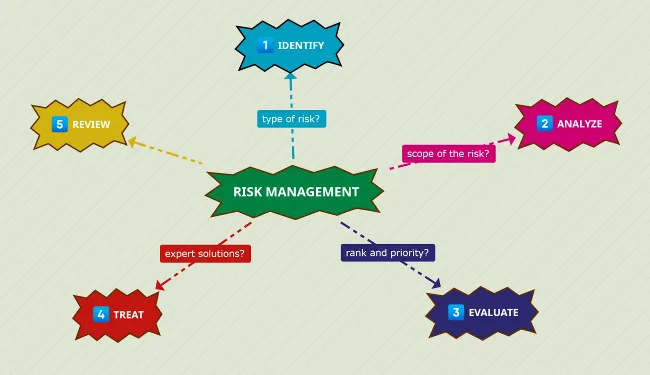
For step 4, Treating the risk, you can create a standalone diagram and share it with experts in the relevant field. Keeping everyone on the same page prevents fragmented discussions across emails, documents, spreadsheets, and phone calls. Sharing diagrams and inviting people to edit them is easiest with the guest editing functionality.
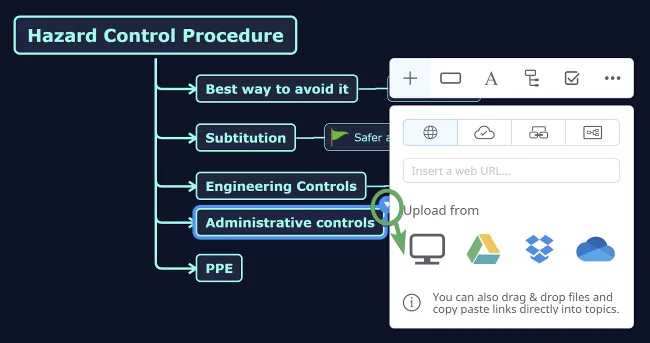
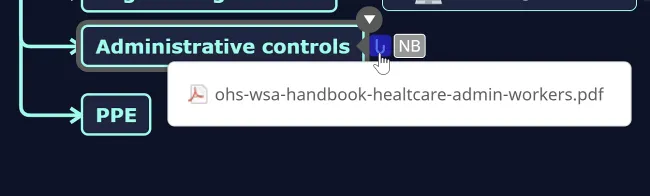
Each collaborator can provide input by editing the diagram and adding personal documents.
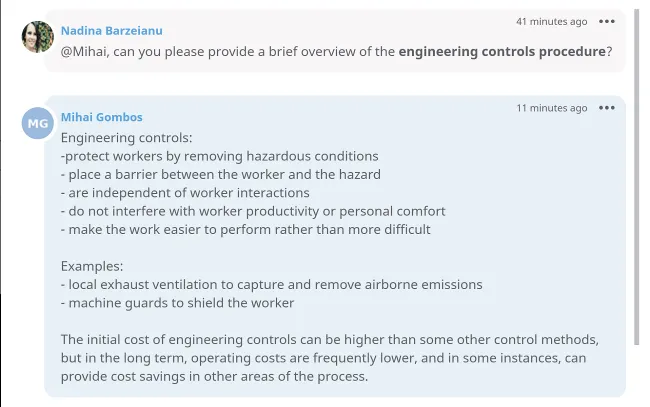
Discussions are encouraged in the Comments section, where collaborators can discuss issues, provide solutions, and vote to validate inputs.
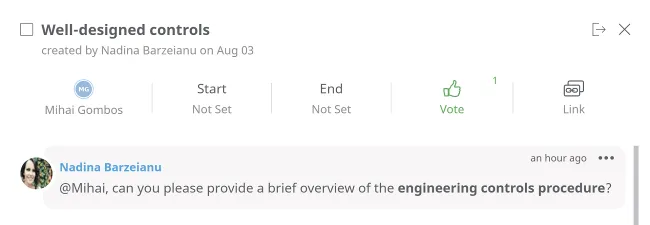
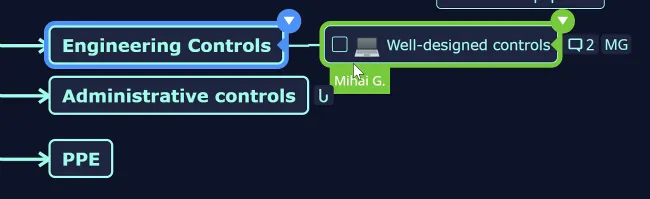
If users work on the same diagram simultaneously, they are highlighted in different colors.
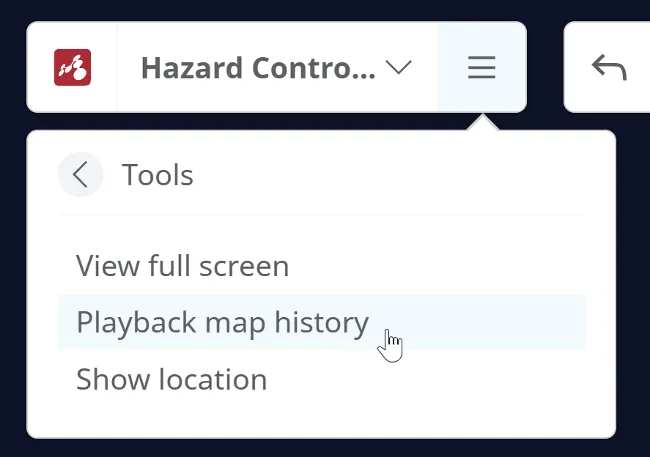
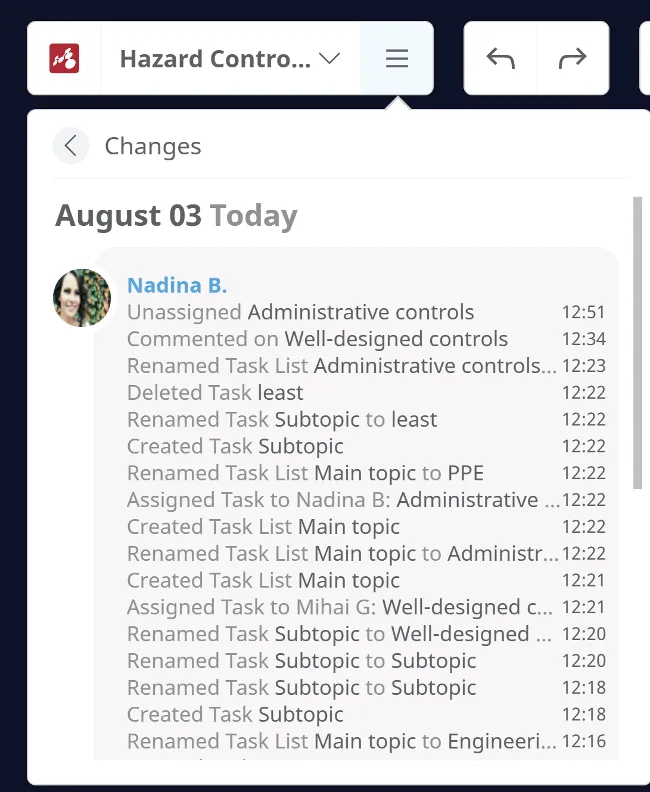
Keep track of all changes and get a clear overview of the work process with the Playback map history and Changes options.
Browse Mindomo’s gallery for predefined templates like generic risk management and emergency situations planning.
Organize your Life Creatively
Section titled “Organize your Life Creatively”Mindomo Premium helps you bring clarity and creativity to everyday life by visually organizing routines, goals, and personal priorities. Use intuitive diagrams to streamline habits, spark new ideas, and stay motivated in both work and personal growth.
Daily Routine
Section titled “Daily Routine”
The professional context may vary from person to person, but there are challenges that almost everyone can relate to:
- How to maximize morning time before work starts
- How to get things done during planning time with only 20 minutes available
- How to wrap up the day when there are 30 things to do and exhaustion kicks in
Diagrams can be used as springboards to figure out how to streamline, simplify, and maximize your time.
💡 Tips and Tricks
Create a vivid work framework that keeps in mind all your to-dos and the best way to prioritize them:
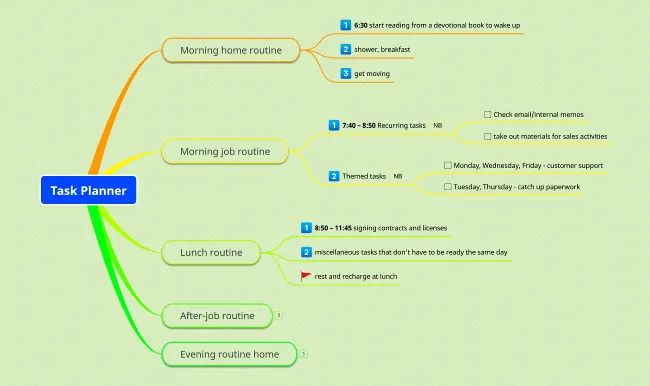
Get started with this task planner template.
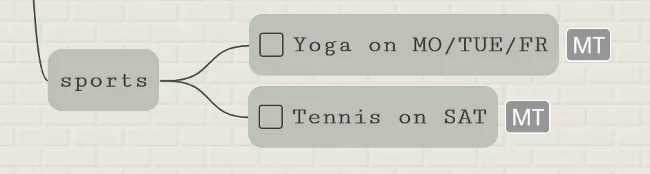
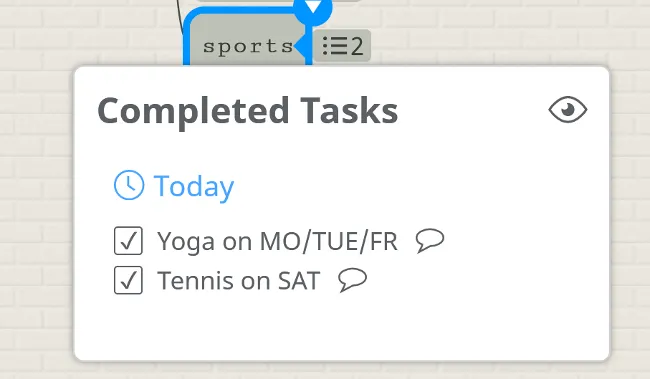
Focus on what needs to be done to achieve more in less time. Self-assign tasks that you can later check off to visualize your progress.
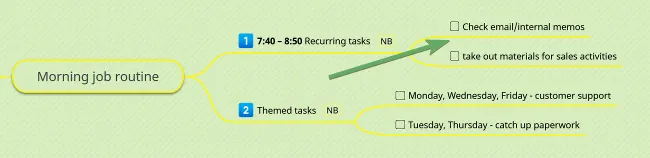
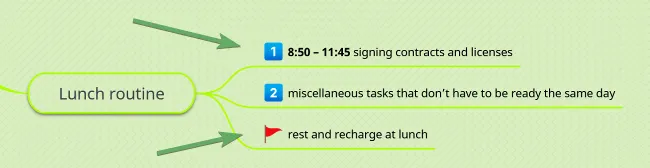
Use emojis to highlight priorities:
A weekly planner template can help you plan tasks for the week ahead.
Thinking outside the box
Section titled “Thinking outside the box”
It is more than a cliché — it involves thinking of clichéd situations in ways that aren’t clichéd. Conceptualizing problems differently, approaching them in new, innovative ways, and understanding your position about any situation in ways you hadn’t thought of before.
Diagramming in Mindomo will help you cultivate the ability to look at things differently from your usual perspective.
💡 Tips and Tricks
Try to look at any problem from different perspectives by combining the highly visual power of mind maps and concept maps with the Six Thinking Hats model:
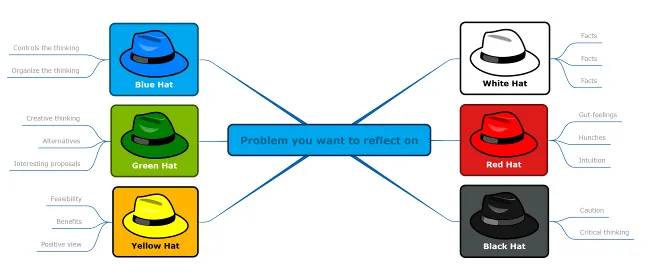
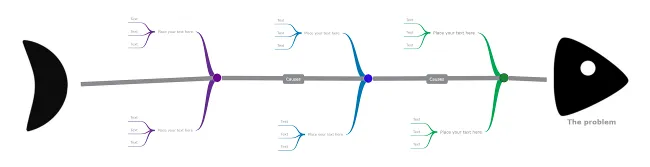
To avoid fixing problems repeatedly, always look for the root of the problem, not just its effects. Mindomo’s fishbone diagram is a visual way to investigate WHAT and WHY the problem happened.
Become an achiever
Section titled “Become an achiever”
Napoleon Hill’s quote, “Whatever your mind can conceive and believe, it can achieve,” pinpoints the power of living a purposeful life. Having a purpose gives a different meaning to ticking off your achievements while climbing the personal and professional ladders.
Mindomo is your planning and scheduling tool to keep you on track with your goals, tasks, milestones, resources, and more.
💡 Tips and Tricks
Diagrams to help you persevere with your goals and tasks:
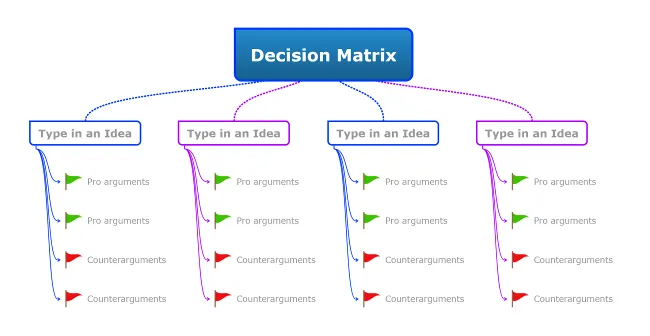
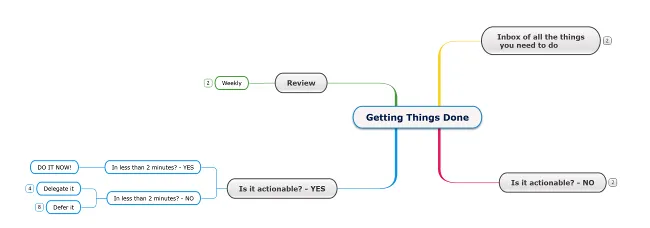
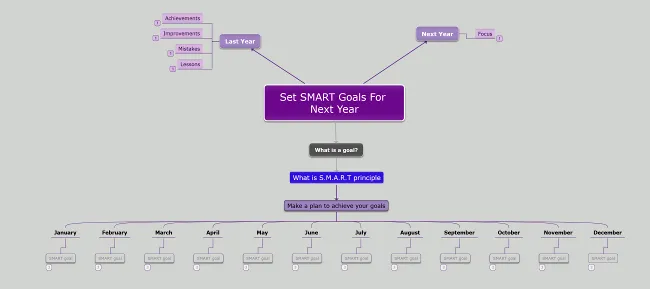
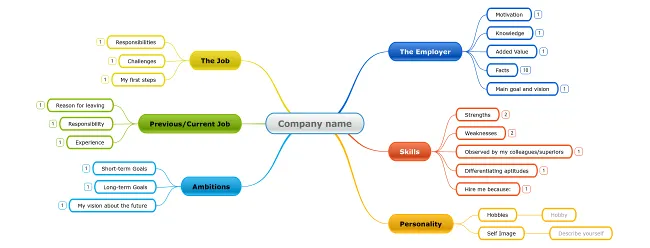
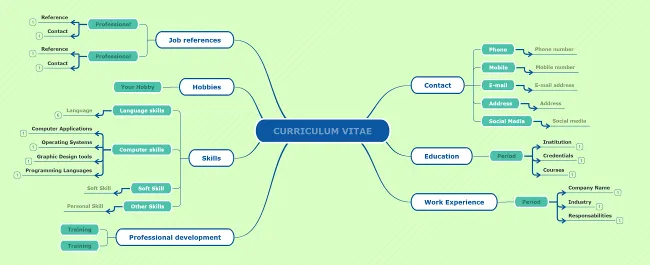
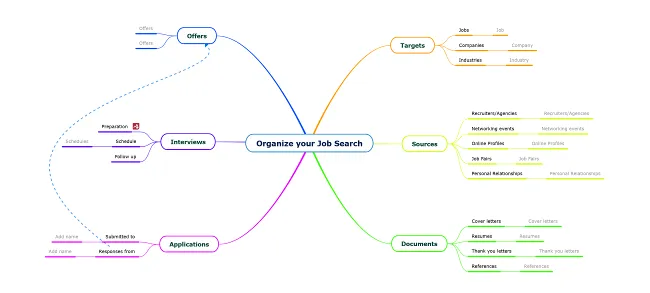
Diagrams to help you prepare for a new job:
Preparing for an interview template
Make sure you set SMART goals:
- Specific – goals must be clear and well-defined; use keywords and/or short phrases.
- Measurable – assign tasks with precise due dates to track your degree of success.
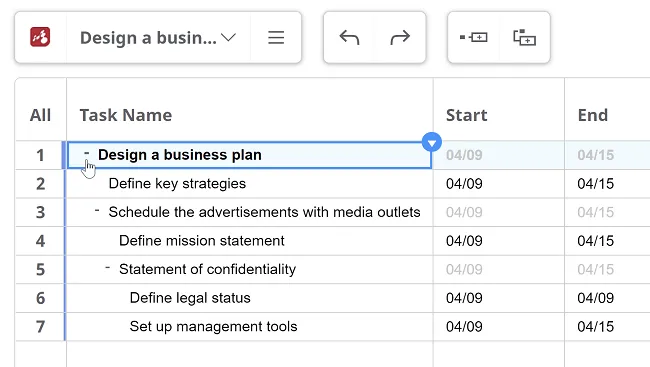
- Attainable – visualize your workflow with the Gantt functionality to coordinate and track tasks.
- Relevant – ensure your goals align with your priorities.
- Time-Bound – setting deadlines favors achievement.
Keep plans simple
Section titled “Keep plans simple”
Mindful planning is vital for all aspects of life – setting priorities, working efficiently, building a growth mindset, and having a sense of control over things.
Diagramming in Mindomo will help you focus on a combination of planned actions carefully taken one step at a time.
💡 Tips and Tricks
Put plans in motion with inspiring, color-coordinated planners:
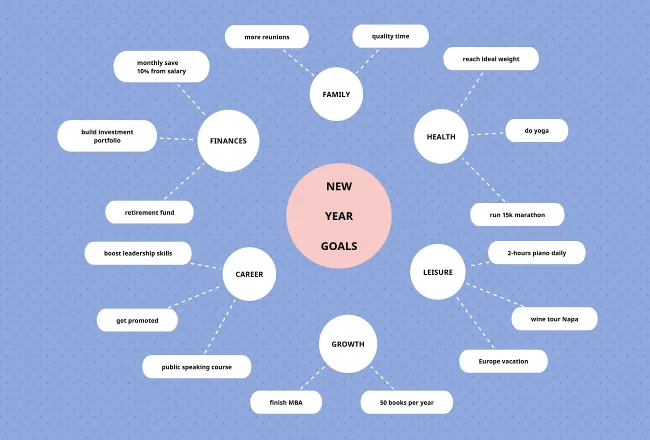
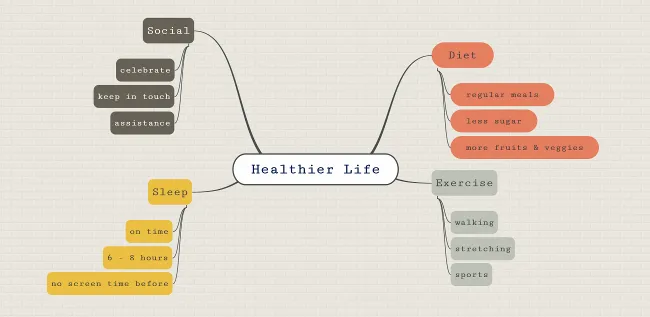
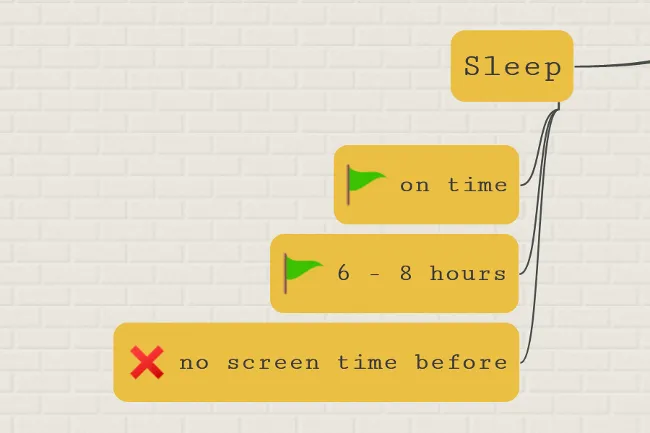
Add emojis for accomplished milestones and delays to stay motivated:
Self-assign tasks that you can later check off to visualize your progress: