
OneDrive Integration
Mindomo’s integration with OneDrive allows you to automatically back up your diagrams every hour, ensuring your work is always protected and up to date. You can also export maps, attach media files, and access your content directly through a seamless connection with your OneDrive account.
Backup
Section titled “Backup”Data backup means creating a copy of the data on your system that you can use for recovery in case your original data is lost or corrupted. You can also use backups to recover older versions of files if you have deleted them from your system.
We now offer hourly backups for all your diagrams to safeguard your work even more effectively. You can rest assured that your most recent edits are securely backed up.
To set up OneDrive backup, follow these steps:
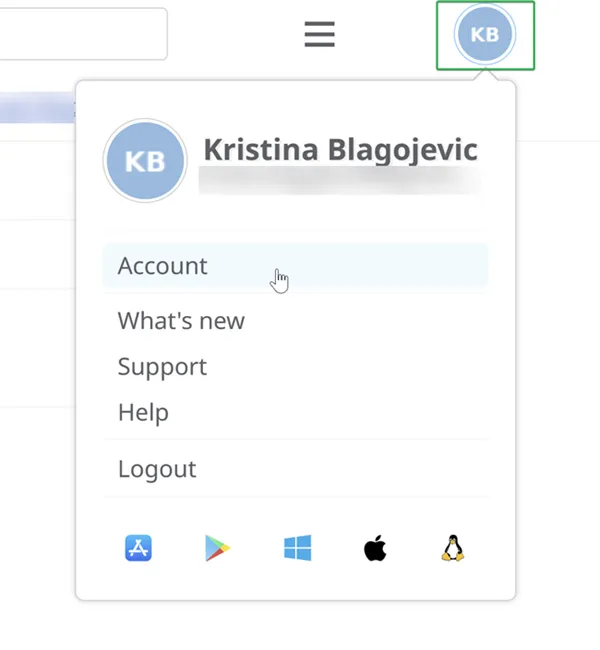
- Click on your initials/picture in the top right corner of the dashboard, then select Account.
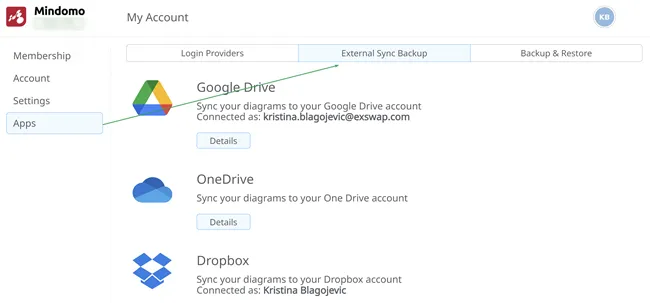
- Click on Apps and then on External Sync Backup.
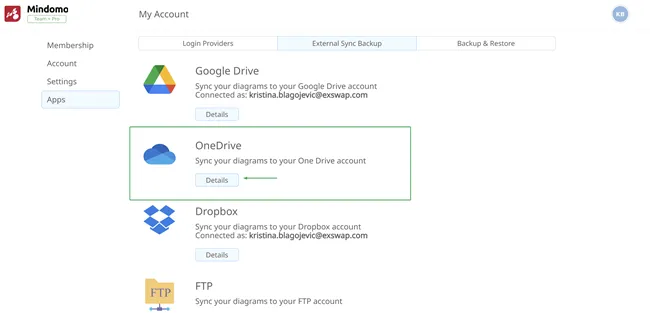
- Click on the Details button.
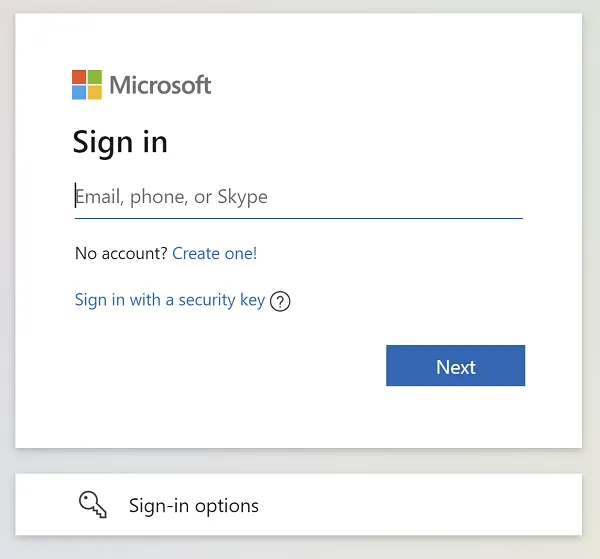
- Grant Mindomo access to your OneDrive account.
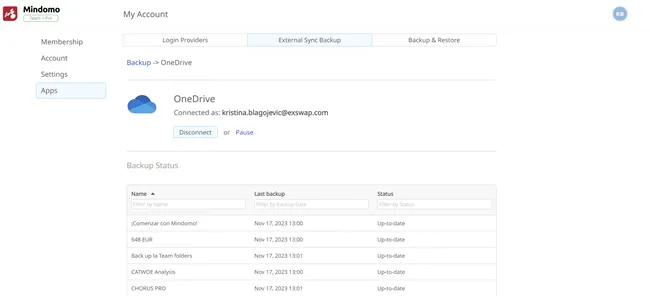
- Your mind maps will be backed up, and you will be able to see the status.
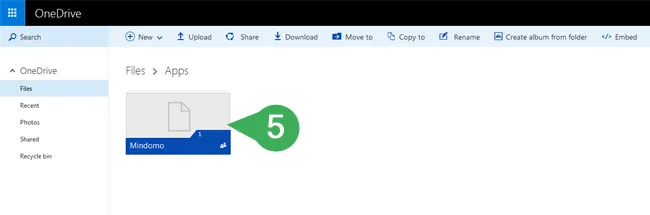
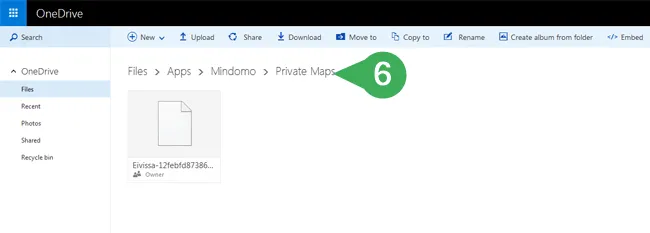
- Once the two accounts are connected, a Mindomo folder will be created in the Apps section of your OneDrive account. Your Mindomo mind maps will be backed up in this folder once per hour.
- If you no longer want to back up your maps to OneDrive, click on the Disconnect button.
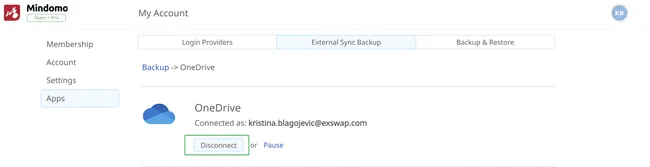
If you click on the Pause button, new diagrams will not be automatically synchronized to OneDrive. To resume automatic synchronization, click on the Synchronize all your diagrams button.
Export to OneDrive
Section titled “Export to OneDrive”To export your mind maps in any format to OneDrive, click the Export button and choose OneDrive:
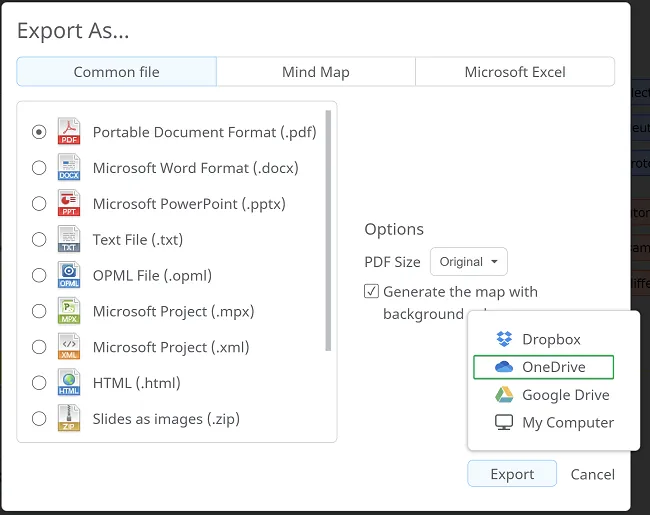
If you have already connected your Mindomo account to OneDrive, the export will happen automatically. Otherwise, you will be redirected and asked to connect the two accounts.
File Picker
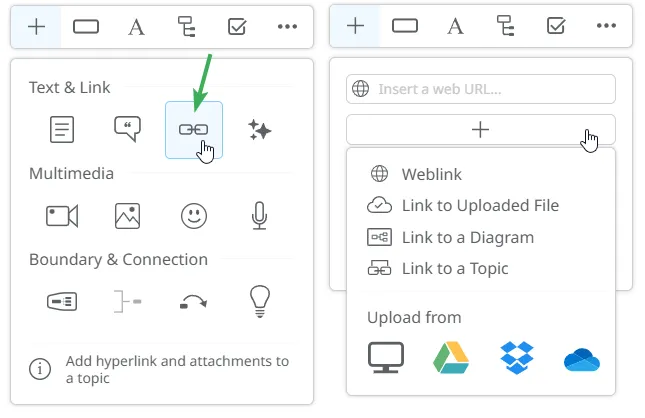
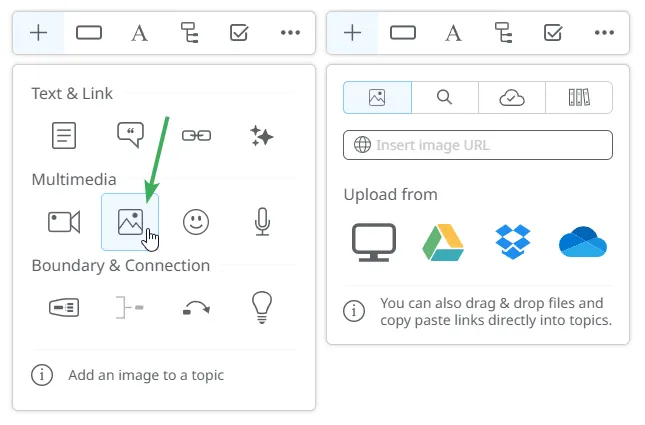
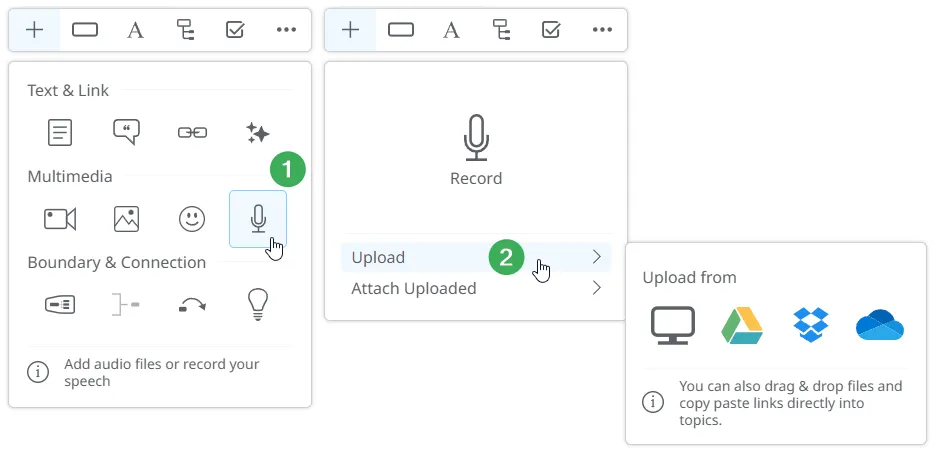
Section titled “File Picker”With OneDrive integration, you can easily attach files stored in your account directly into your mind map. You can access the file picker from the following panels:
1. Hyperlink & Attachments
2. Images
3. Audio
4. Comments
The comments functionality is available in mind maps, outlines, and Gantt Charts: